Need help?
Do you have a question about the TYT MD-390 and is the answer not in the manual?
Check all supplied accessories after unpacking the radio device.
Instructions for attaching, detaching, and charging the battery.
Instructions for attaching and removing the antenna by screwing.
Steps for installing the belt clip and external headset.
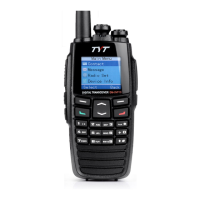
Covers safety, radio parts (Antenna, LED, Speaker, Mic), and key controls.
How to select zones, channels, user IDs, or group IDs for calls.
Procedures for making and receiving group and single calls.
Details on emergency call types, sending, and receiving emergency alerts.
Explains English, Chinese typing, and numeral input for user data.
How to navigate menus, check radio status, and send radio checks.
Setting up and managing contact entries for calls.
How to start and use the monitoring function for target radios.
Managing missed calls, call logs, and call alert operations.
Steps for sending quick text messages and managing failed SMS.
Checking sent items, managing received messages, and inbox operations.
Explains basic encryption, DTMF function for signaling.
How to disable or enable radios for security purposes.
Creating and managing scan lists with channels and priority settings.
How scanning works, reply procedures, and hang time settings.
Accessing settings like Talkaround, Tones/Alerts, Power, Backlight.
Customizing Backlight, Intro Screen, Keypad Lock, Language, LED Indicator.
Enabling and configuring VOX for hands-free voice-activated calls.
Setting up and managing the password lock for the radio.
Adjusting the radio's internal clock settings for time and date.
Choosing between CH Mode and MR Mode for radio operation.
Accessing radio identification details, model, and firmware versions.
Editing channel contents like frequencies, names, and timers.
Configuring Time-out Timer (TOT) and CTCSS/DCS encoding/decoding.
Setting color codes and repeater slots for digital channels.
Key parameters like frequency range, channels, voltage, battery, dimensions.
Detailed specs on output power, sensitivity, selectivity, and audio.
Details on guarantee card, repair services, and warranty coverage.
 General
| Channels | 1000 |
|---|---|
| Battery Capacity | 2000mAh |
| Waterproof Rating | IP67 |
| Digital/Analog | Digital/Analog |
| Operating Voltage | 7.4V DC |
| Channel Spacing | 12.5kHz/25kHz |
| Operating Temperature | -30°C to +60°C |
| Digital Protocol | DMR Tier I & II |
| Digital Mode | DMR |
| Frequency Range | UHF: 400-480MHz, VHF: 136-174MHz |
| Output Power | 5W |
| Weight | 258g (with battery) |
| Display | LCD |


 To Next Page