UAV-1002156-001
ECCN 7A994 Page 17 | 31
8.2 Connections
1. Connect a USB-C cable to the USB-C port in order to provide direct
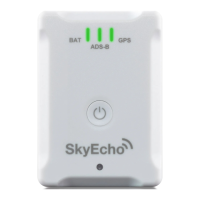
power or to charge the battery. While the device is charging, a blue
BAT LED will remain lit. When the device has completed charging
the blue LED will extinguish.
2. Care should be taken to make sure all devices are secure and will not
interfere with pilot visibility or aircraft operation.
8.3 Installation Setup
Configuration of the SkyEcho 2 is accomplished by logging on to the device
directly from a computer or mobile device using the SkyEcho 2 internal Wi-
Fi hotspot. No additional application is necessary.
8.3.1 Connecting to the SkyEcho2 via Wi-Fi
1. To connect to the SkyEcho 2, power on SkyEcho 2 and join a device to
the wireless network SSID named SKYECHO-XXXX using the procedure
for your device. This procedure is identical to joining any other public or
private Wi-Fi on your chosen device.
2. If required, enter uavionix as the WPA password for the secure Wi-Fi
network, then tap join. Note: The No Internet Connection message is
normal when connected to SkyEcho 2.


 To Next Page