UAV-1002156-001
ECCN 7A994 Page 30 | 31
5. Manually power off, then power back on SkyEcho 2 to reboot.
10.3 Wi-Fi Firmware
Follow these instructions if you were given Wi-Fi update firmware (*.bin).
1. Reconnect to the SkyEcho 2 hotspot as described above.
2. Open a web browser and navigate to 192.168.4.1
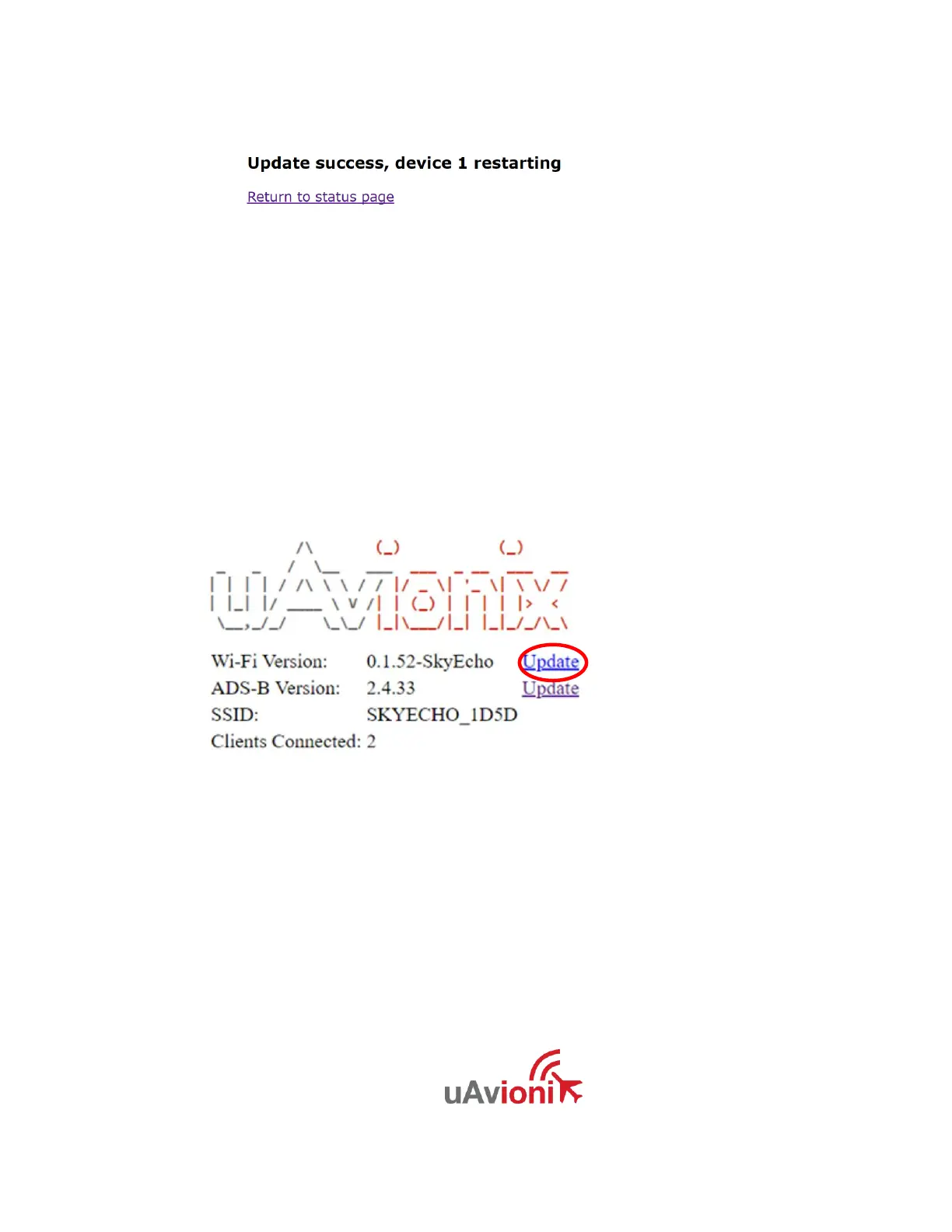
3. Click on the “Wi-Fi Version” Update Link:
6. Click on “Choose File”, navigate to the Wi-Fi firmware file (.bin), and
click “Update.”
7. The system will update.
8. When complete, go back to the main page to confirm both ADS-B
and Wi-Fi versions match the files delivered.
9. Reboot the SkyEcho 2 by manually turning power off, then back on.


 To Next Page