UAV-1002156-001
ECCN 7A994 Page 29 | 31
10.2 Update Transceiver Software
Follow this procedure if you were given a Transceiver Software (*.uav )
update file.
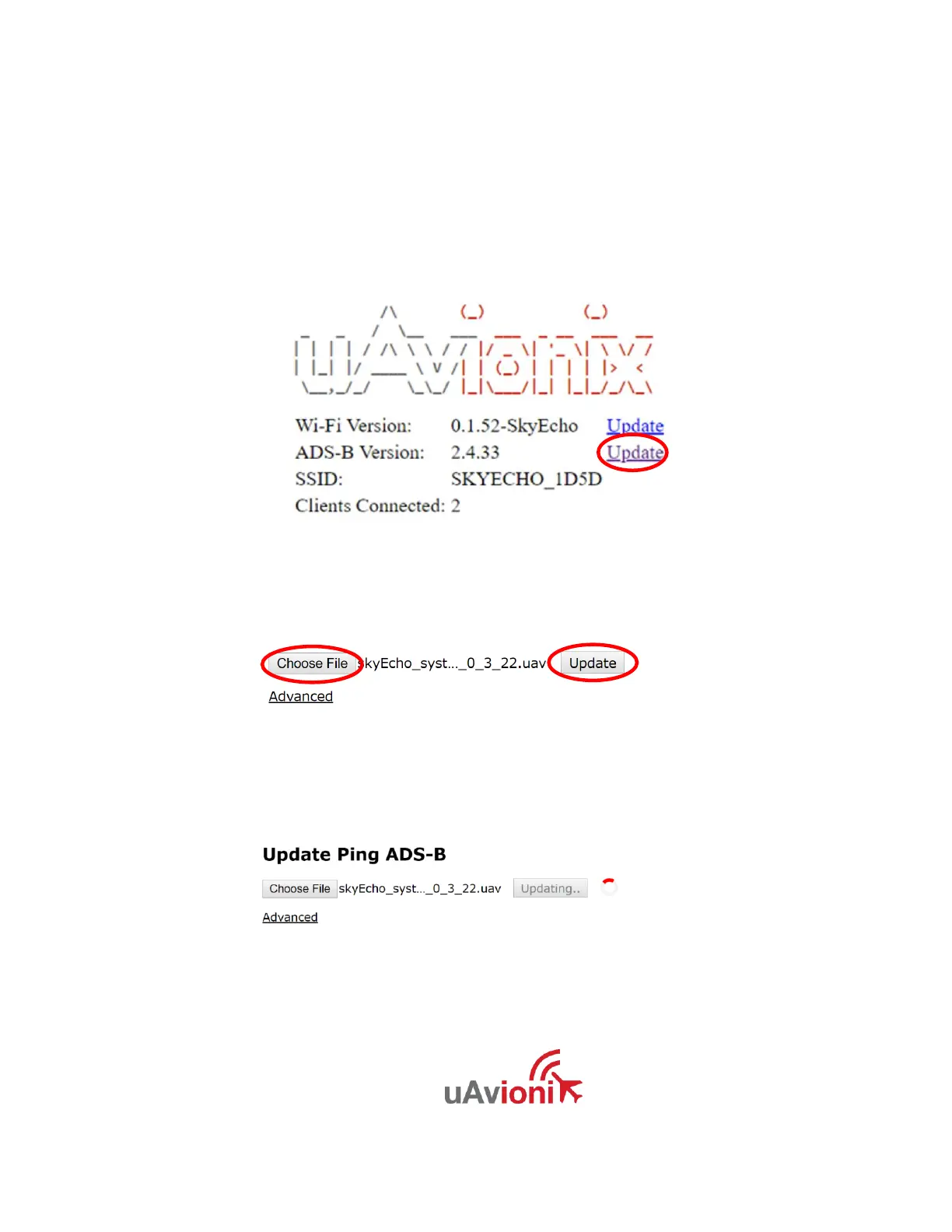
1. Click on the “ADS-B Version” Update Link:
2. Click on “Choose File”, navigate to the Transceiver Software firmware
file (.uav), and click “Update.”
3. The system will update. You will see the following screen for a few
seconds.
4. When complete, the following screen will appear:


 To Next Page