UAV-1002156-001
ECCN 7A994 Page 28 | 31
• Save the provided firmware file(s) to an accessible location on your
computer prior to joining the SkyEcho 2 Wi-Fi hotspot.
10.1.1 Connecting to the SkyEcho 2 via Wi-Fi
1. To connect to the SkyEcho 2, power on SkyEcho 2 and join a device to
the wireless network SSID named SKYECHO-XXXX using the procedure
for your device. This procedure is identical to joining any other public or
private Wi-Fi on your chosen device.
2. If required, enter uavionix as the WPA password for the secure Wi-Fi
network, then tap join. Note: The No Internet Connection message is
normal when connected to SkyEcho 2.
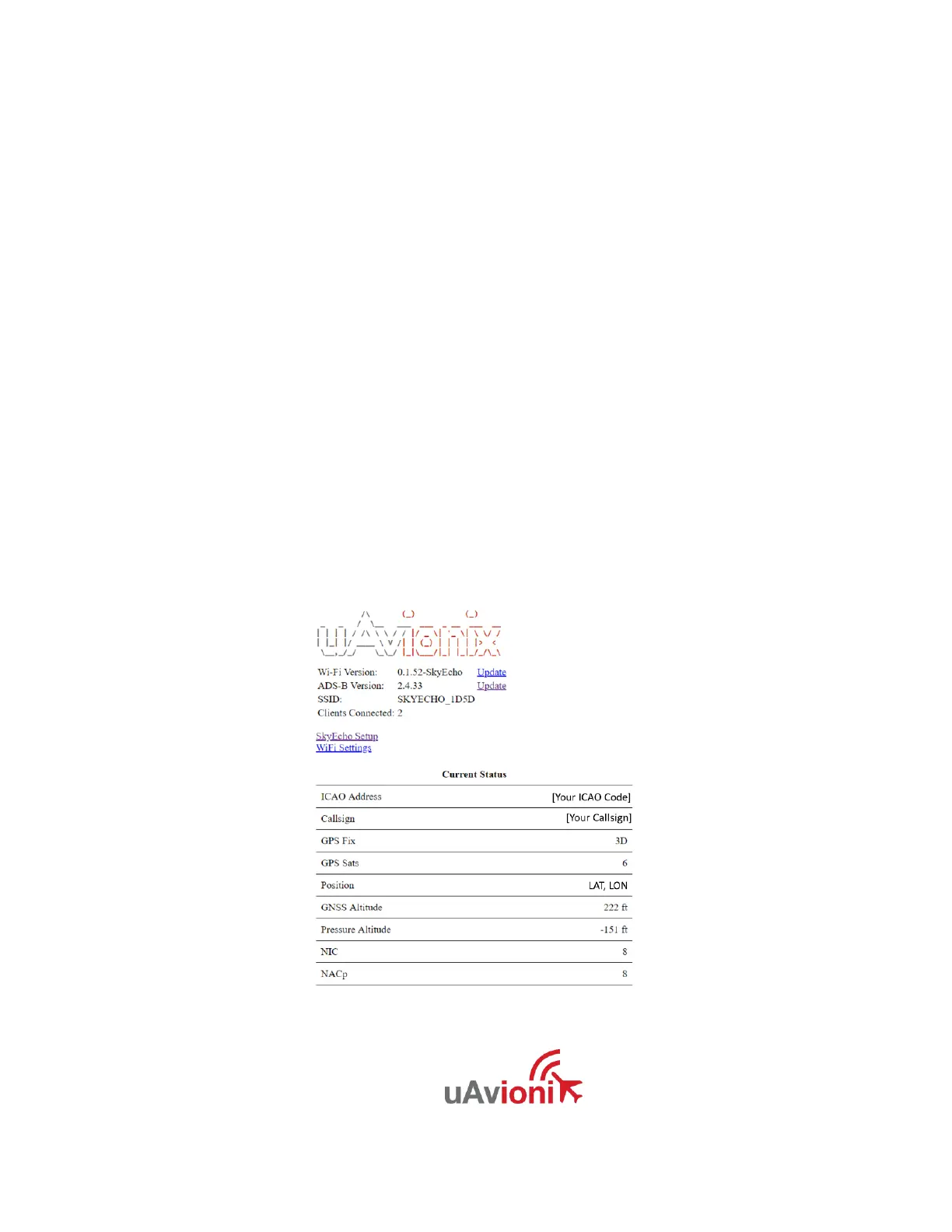
3. Open any browser on your computer/mobile device that is connected to
your SkyEcho 2 via the Wi-Fi link and type in 192.168.4.1
The following landing page should load:
This page will show the SkyEcho 2 status.


 To Next Page