OPERATING INSTRUCTIONS
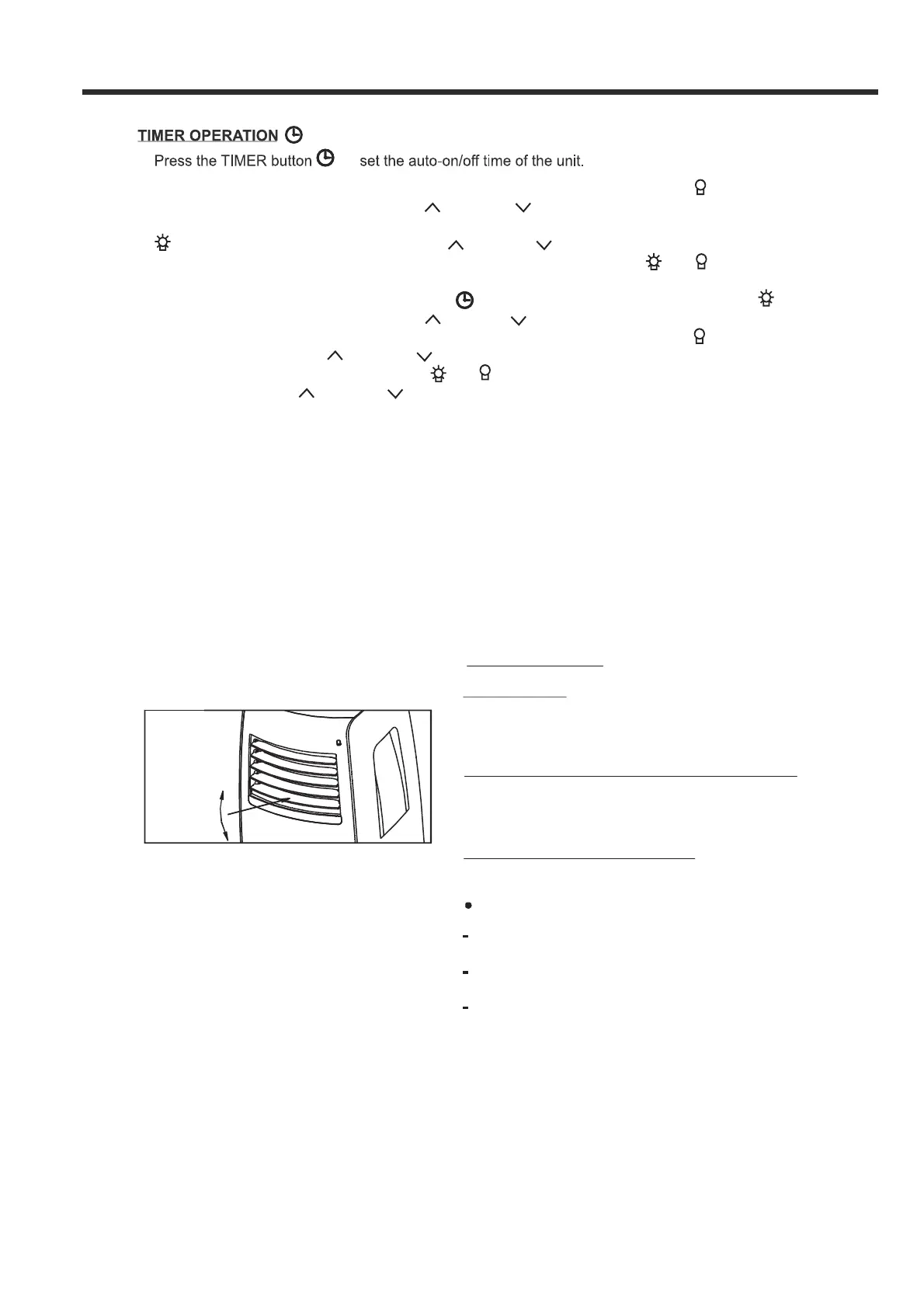
When the unit is on, press the Timer button to start the Auto-off program. The
indicator light illuminates. Press the UP or DOWN button to select the desired time.
Press the TIMER button again within 5 seconds, the Auto-on program is initiated and the
indicator light illuminates. Press the UP or DOWN button to select the desired
Auto-on start time. When both timer settings have been made, both the
and indicator
- When the unit is off, press the Timer button to initiate the Auto-on program, then the
indicator light illuminates. Press the UP or DOWN button to select the desired Auto-on start
time. Press it again within five seconds to start the Auto-off program, then the indicator light
illuminates. Press the UP or DOWN button to select the desired Auto-off time. When both
both the and indicator light will be on.
- Press or hold the UP or DOWN button to change the Auto time in 0.5 hour increments,up to
then in 1 hour increments up to 24 hours. The control panel will count down the time
- The system will automatically revert back to display the previous temperature setting if there
is no operation after 5 seconds.
- Turning the unit ON or OFF at any time or adjusting the timer setting to 0.0 will cancel the Auto
Start/ Stop timed program.
- When a malfunction (E1 , E2 or E4,) occurs, the Auto Start/Stop timed program will also be
cancelled.
-
7
Fig.4
A djust
m anuall y
Ot he r fea tu r es
If the unit turns off unexpectedly due to a power
outage or interruption, it will restart automatically
with its previous settings when the power resumes.
A u t o -Re s t ar t
Afte r the unit has sto pped, it ca not be restar ted
i n t he fir st 3 min ut es. This is to pr otect
the unit.
Operation will autom aticall y start a fter
3 m in utes.
Wai t 3 m inut e s be fo r e r es u m ing o p e r at io n
Th e louver can be s et to the d es ire d positi on
manua lly.
Do n ot pl ac e a ny he avy ob jec ts or ot he r lo ads
on t he louve r, doing s o will dama ge th e unit.
(Fi g.4):
En s ur e t he lo uv er is f u lly o pe ne d in the heat
K eep t he lo uv er fu ll y o pene d d u ri n g
o pe r at io n.
A ir fl ow dir ec t i o n a dj u s t m en t
to
lights will be on.
10 hours,
remaining until start.
mode.
timer settings have been made,
n
To adj u s t th e air fl o w di r ect i on m an ua ll y



 To Next Page