
 Need help?
Do you have a question about the Ubiquiti NanoBeam M2 and is the answer not in the manual?
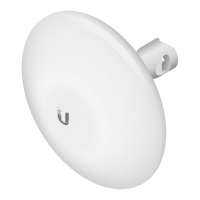
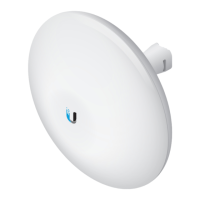
The Ubiquiti NanoBeam M2 (Model: NBE-M2-13) is a high-performance 13 dBi airMAX® CPE (Customer Premises Equipment) designed for outdoor wireless installations. This device functions as a wireless bridge or access point, enabling long-range, high-throughput wireless connectivity. It is part of Ubiquiti's airMAX product line, known for its advanced TDMA (Time Division Multiple Access) protocol, which improves network scalability and reduces latency in point-to-multipoint deployments. The NanoBeam M2 is particularly suited for applications requiring reliable wireless links over distances, such as connecting remote buildings, providing internet access in rural areas, or extending existing networks.
The NanoBeam M2 is designed for professional installation and offers flexible mounting options. It can be mounted on a pole using the included Metal Strap and Ball Joint Mount, or to a wall (requiring a suitable fastener not included). The Ball Joint Mount allows for easy adjustment and aiming of the device, crucial for establishing optimal wireless links. The Lock Ring feature helps secure the device's aim once set, though it should only be hand-tightened to allow for future adjustments.
The device is powered via a 24V, 0.5A PoE (Power over Ethernet) adapter, which is included in the package. Power can also be supplied by Ubiquiti Networks EdgeSwitch™ or EdgeRouter™ PoE devices. This simplifies installation by allowing both power and data to be transmitted over a single Ethernet cable. For outdoor installations, shielded Category 5 (or above) Ethernet cable and earth grounding are mandatory to ensure product warranty and protect against ESD (Electrostatic Discharge) attacks. Ubiquiti recommends using their TOUGHCable™ for enhanced durability in harsh environments.
The NanoBeam M2 features an Ethernet port (10/100 Mbps) for connecting to the LAN and DHCP server. It also includes a Reset button, which can be used to restore factory defaults by holding it for more than 10 seconds while the device is powered on. Alternatively, a Reset button is located on the bottom of the PoE Adapter for remote resetting.
LED indicators provide visual feedback on the device's status:
Configuration of the NanoBeam M2 is done through the airOS® Configuration Interface, a web-based management system. To access it, the host machine must be connected via Ethernet to the NanoBeam and configured with a static IP address on the 192.168.1.x subnet. Users can then navigate to https://192.168.1.20 in a web browser. The default login credentials are ubnt for both username and password. During the initial setup, users must select their country and language and agree to the Terms of Use and the Ubiquiti Firmware License Agreement. The airOS interface allows for customization of various settings, including wireless mode (Station, Access Point), SSID, country code, channel width, output power, and security settings. For U.S. product versions, the country setting is restricted to Canada, Puerto Rico, or the U.S. to comply with FCC/IC regulations.
The NanoBeam M2 is built with an outdoor UV stabilized plastic enclosure, ensuring durability and resistance to environmental factors. Its robust design is tested against various conditions, including salt fog, vibration, temperature shock, UV exposure, and wind-driven rain, making it suitable for prolonged outdoor use in challenging climates.
Proper installation, including the use of shielded Ethernet cable and earth grounding, is a key aspect of maintaining the device's performance and ensuring warranty compliance. The device is designed to be professionally installed, and installers are responsible for adhering to local country regulations regarding frequency channels, output power, and Dynamic Frequency Selection (DFS) requirements.
The airOS Configuration Interface provides tools for monitoring device performance and making necessary adjustments. Regular firmware updates, available from Ubiquiti, can enhance features, improve stability, and address security vulnerabilities. The Reset button, both on the device and the PoE adapter, offers a convenient way to troubleshoot or reconfigure the device if needed.
Ubiquiti provides online resources for support, community forums, and downloads, which can be valuable for troubleshooting, finding documentation, and staying updated on product information. The product is backed by a one-year limited warranty, covering defects in material and workmanship under normal use, provided the device has not been modified, damaged by improper cabling, or subjected to misuse. The warranty also requires adherence to proper installation guidelines, including the use of CAT5 (or above) Ethernet cabling, with shielded cabling for outdoor installations.
 General
| Brand | Ubiquiti |
|---|---|
| Model | NanoBeam M2 |
| Category | Wireless Access Point |
| Language | English |




 To Next Page