UBTECH CADEBOT USER MANUAL
will automatically return to the delivery page. If you enter the delivery page and there are
no operations for more than 5 minutes, it will automatically exit to the expression page.
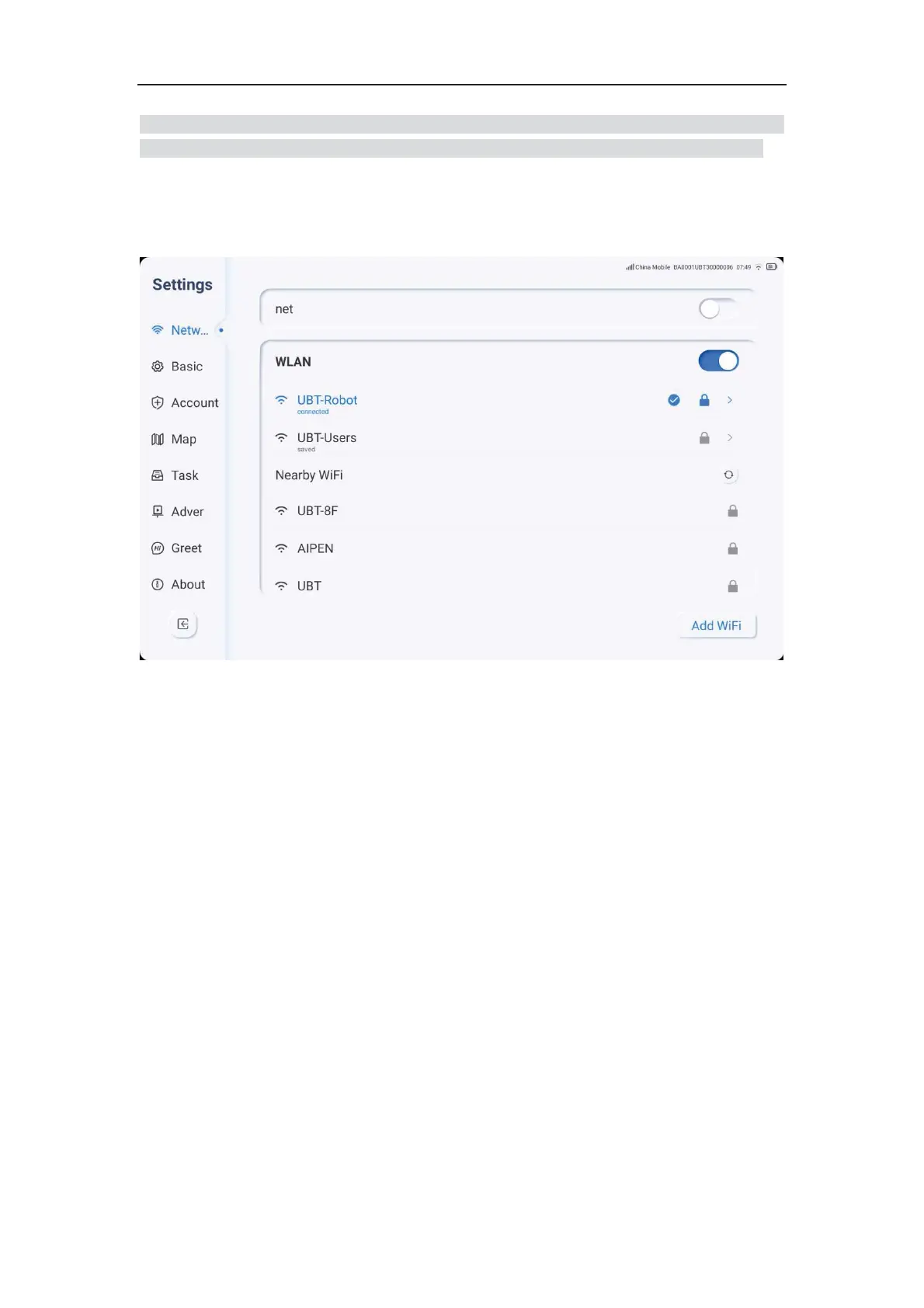
Network Settings
1. Click the settings icon, select Network, and perform the pairing operation.
2. You can choose WLAN mode, select a nearby WiFi network, enter the password, and
the robot will automatically connect to the network. If the WiFi connection fails, please
confirm that the WiFi information is correct.
3. If you need to connect to a hidden network, you can click "Add Network" and manually
add it.
4. If you have inserted a 4G data card, you can also choose to turn on the data network
and access the cellular network.
Note: Some public WiFi places require double verification, and such WiFi connections are
not supported.



 To Next Page