UBTECH CADEBOT USER MANUAL
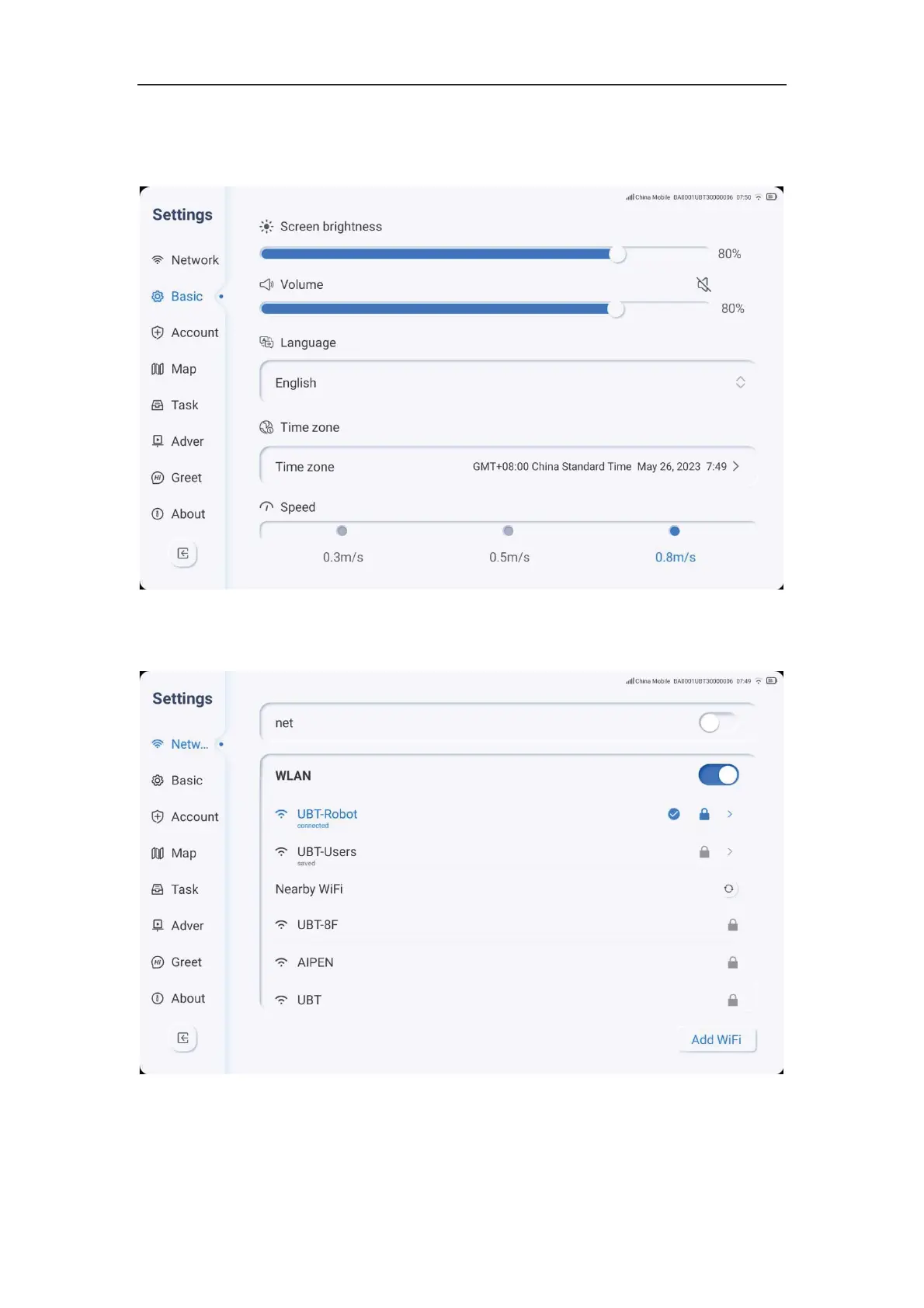
Basic Settings
1. Click the settings icon, select Basic, and perform basic operations.
2. Users can manually drag the progress bar to adjust the screen brightness and volume.
3. You can set the robot's voice broadcast language.
4. Select the robot's walking speed.



 To Next Page