52 NAVIGATION MODE — IF EQUIPPED (4C NAV ONLY)
POI — Gas Stations
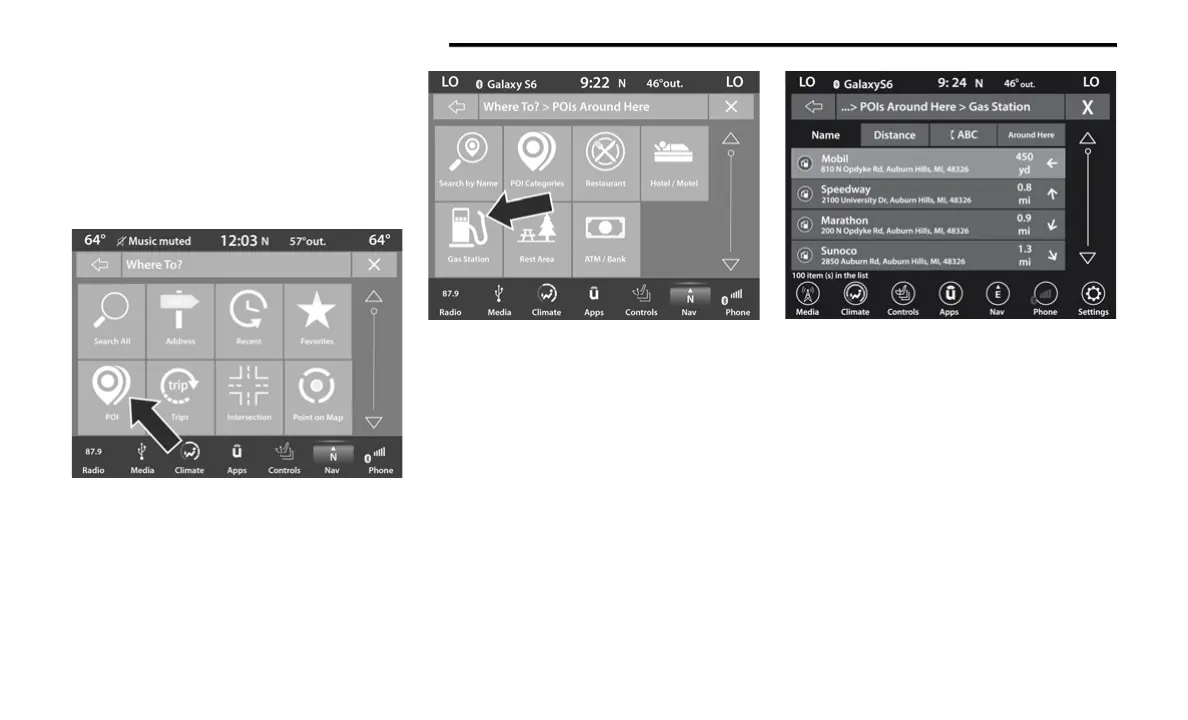
To select a Gas Station POI, follow these steps:
1. While in the Nav Main Menu, press the
Where To? button on the touchscreen,
then press the Point of Interest button on
the touchscreen.
2. Press the Gas Station button on the
touchscreen.
You can search for a gas station by the fol-
lowing categories, which are button tabs at
the top of the screen:
Name
Distance
ABC (Search)
3. Press the desired Gas Station and press
Route To to confirm the route.
4. Press “GO!” to confirm destination and
begin route.
20_00_U4C8_EN_USC_t.book Page 52



 To Next Page