UCONNECT + SIRIUSXM GUARDIAN™ — IF EQUIPPED (4C/4C NAV ONLY) 81
This section will familiarize you with the key
elements of the website that will help you get
the most of your SiriusXM Guardian™ system.
Edit Profile:
To manage the details of your SiriusXM
Guardian™ account, such as your contact
information, password and SiriusXM
Guardian™ PIN, click on the “Edit Profile”
button to access the details of your account.
Connected Services Status:
This statement will indicate your SiriusXM
Guardian™ equipped vehicle.
Remote Commands:
For vehicles with an active SiriusXM
Guardian™ subscription, press one of these
icons and enter your four-digit SiriusXM
Guardian™ Security PIN to remotely start (if
equipped), lock/unlock doors or sound the
horn and lights.
Editing Your Notifications
Notifications are an important element of your
SiriusXM Guardian™ account. For example, any
time you use your remote services (such as
Remote Door Unlock), or if your security alarm is
set off, you can elect to receive a text message,
push notifications, and/or E-mail to notify you of
the event. To set up the notifications, please
follow these instructions.
1. Log on to your Owner’s Account at
www.mopar.com/en-us/care/
owners-manual.html (US Residents), or
www.mopar.ca
(Canadian Residents).
2. Click the Edit Profile button.
3. Once there, you can edit Notification
Preferences.
4. You can enter one mobile phone and/or
E-mail address to notify you, and you can
customize the types of messages.
USING SIRIUSXM GUARDIAN™
SOS Call
Access To Emergency Services At The Push Of A
Button
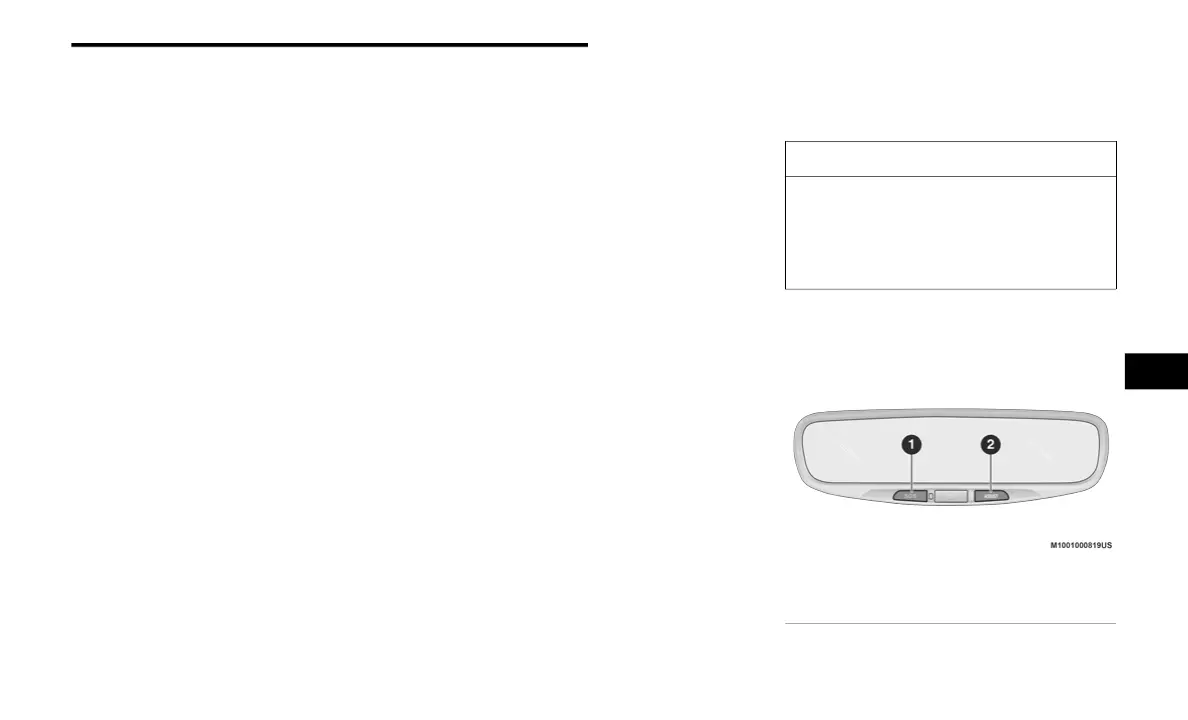
Buttons On The Rearview Mirror
CAUTION!
Some SiriusXM Guardian™ services,
including SOS Call and Roadside Assistance
Call will NOT work without an operable LTE
(voice/data) or 3G or 4G (data) network
connection compatible with your device.
1 — SOS Button
2 — Assist Button
6
20_00_U4C8_EN_USC_t.book Page 81



 To Next Page