NAVIGATION MODE — IF EQUIPPED (4C NAV ONLY) 55
Where To? — Trips
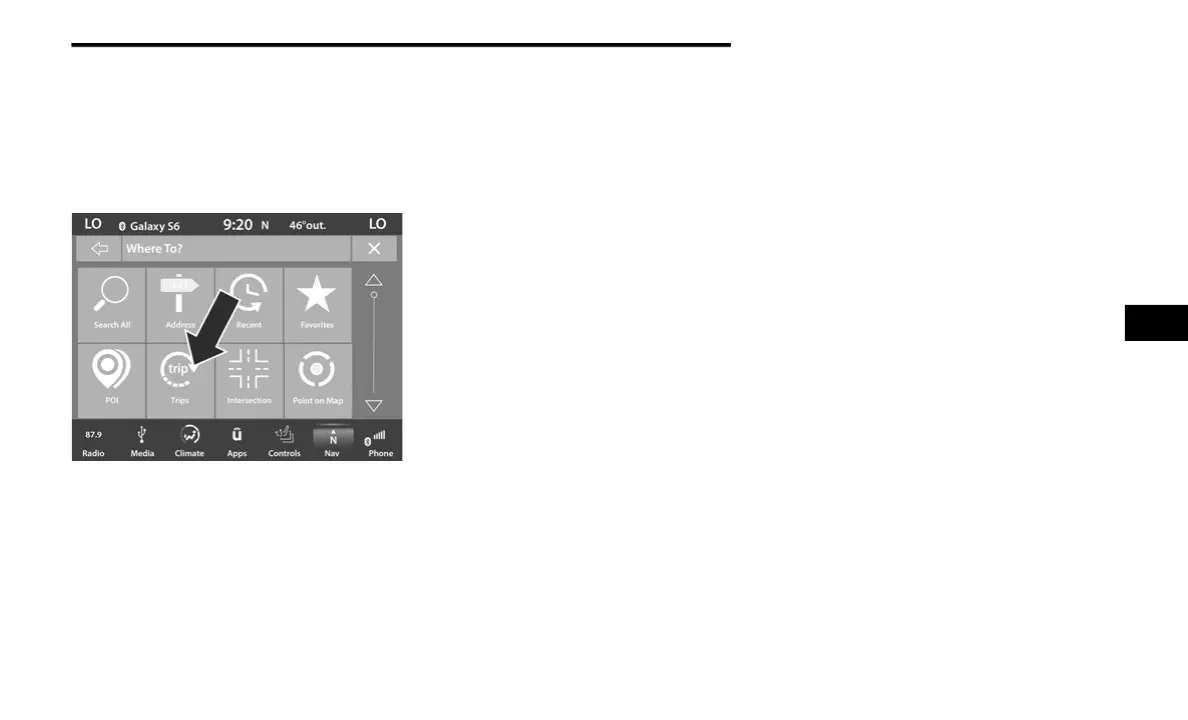
To route to a saved Trip, follow these steps:
1. While in the Nav Main Menu, press the
Where To? button on the touchscreen then
press the Trips button on the touchscreen.
2. Press the button on the touchscreen with
the name of the desired Trip and press the
first destination in the list.
3. Confirm the route by pressing “Route To”,
and then press “GO!” to confirm the
destination and to start the route guidance.
To add a Trip, follow these steps:
1. Press the Create New Trip button on the
touchscreen.
2. Press the Destination button on the
touchscreen, and then press Pick
Destination.
3. Press Add Destination or Insert Final
Destination to add waypoints and
destinations to your trip.
4. Choose from the following options to add a
destination
Address
Recent
Point of Interest
Favorites
Home
Intersection
GEO Coordinates
Point on Map
City Center
Closest Cities
Phone Number
NOTE:
Refer to the individual section of the chosen
option for further information.
5. To save your Trip, you must press Calculate
Route and press Save.
6. Your new Trip will appear on the Trips list.
To delete a Trip from the list, press the Gear
Icon button on the touchscreen and then select
“Delete” from the pop-up menu.
To display the options for a trip press the Gear
Icon button on the touchscreen.
The following Options are available for each trip:
Edit Name
Move Up
Move Down
Delete
5
20_00_U4C8_EN_USC_t.book Page 55



 To Next Page