NAVIGATION MODE — IF EQUIPPED (4C NAV ONLY) 63
Before Route Guidance
Before confirming the destination with the GO!
button on the touchscreen, it is possible to
select options different from the default route
settings.
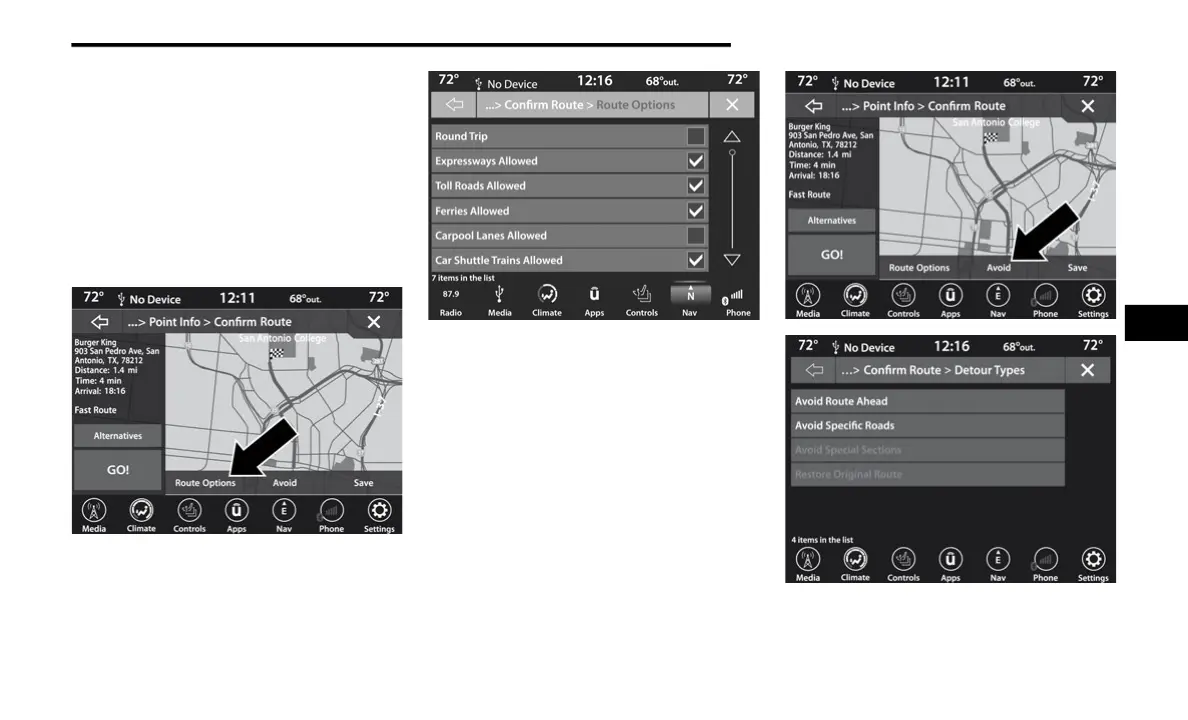
Route Options – Press the Route Options
button on the touchscreen to display a list of
options to alter your route. To make a selec-
tion press and release the desired setting.
Avoid – Press the Avoid button on the touch-
screen to choose road types to avoid during
your route. To make a selection press and
release the desired setting.
5
20_00_U4C8_EN_USC_t.book Page 63



 To Next Page