66 NAVIGATION MODE — IF EQUIPPED (4C NAV ONLY)
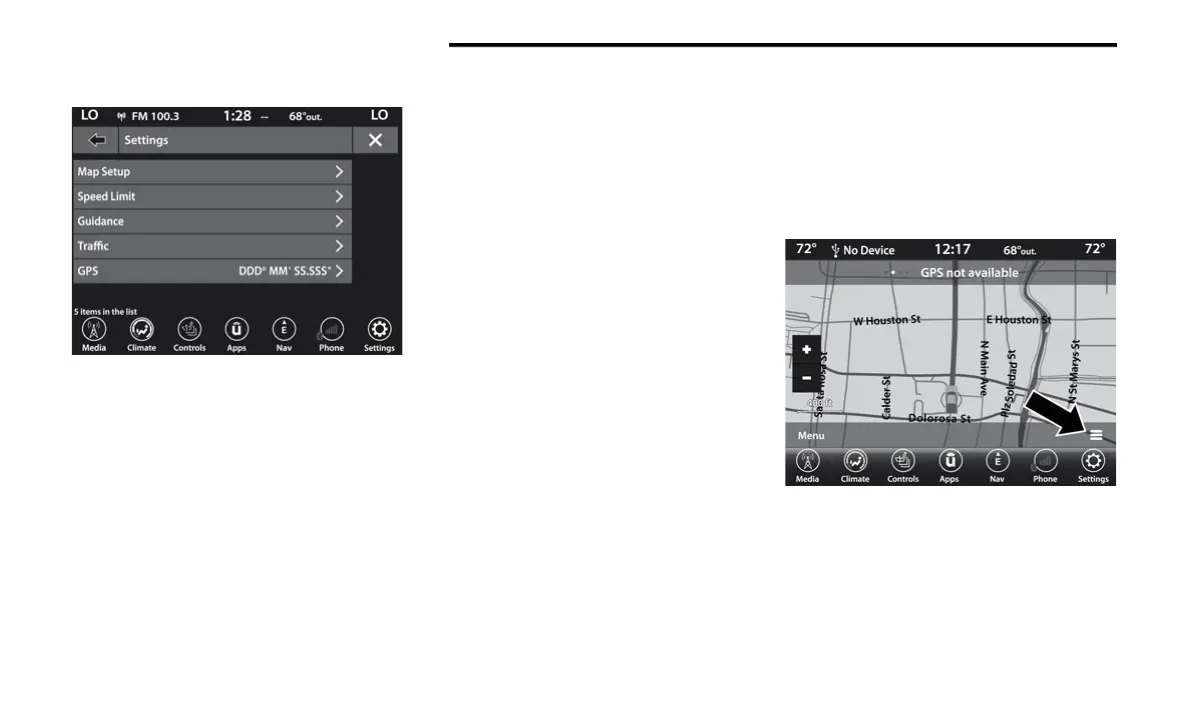
The following Map Settings are available:
Map Setup — Press this button on the touch-
screen to display items to customize how
your map is viewed. Settings – Map Setup for
more information.
Speed Limit — Press this button on the touch-
screen to turn on/off speed limit warning
announcements and to enter a pre-defined
speed limit for your route.
Guidance — Press this button on the touch-
screen to display items to customize your
route guidance. Settings – Guidance Options
for more information.
Traffic — Press this button on the touch-
screen to set how you receive traffic informa-
tion updates.
Units — If Equipped — Press this button on the
touchscreen to change the units display.
Press the desired button on the touchscreen:
U.S. (mile/feet)
Imperial (mile/yard)
Metric (meter)
GPS (DMS) — Press this button on the touch-
screen to change the GPS display. Press the
desired button on the touchscreen:
Decimal
DMS
DM
Copy device information to USB? — If Equipped
— Press this button on the touchscreen to copy
your radio information to a USB jump drive
through the available USB port.
Settings — Map Setup
With the Map displayed, press the button in the
bottom right corner of the map that has three
horizontal bars on it, on the touchscreen, then
press the Settings button on the touchscreen
and then the Map Setup button on the
touchscreen.
20_00_U4C8_EN_USC_t.book Page 66



 To Next Page