12
www. udggear.com
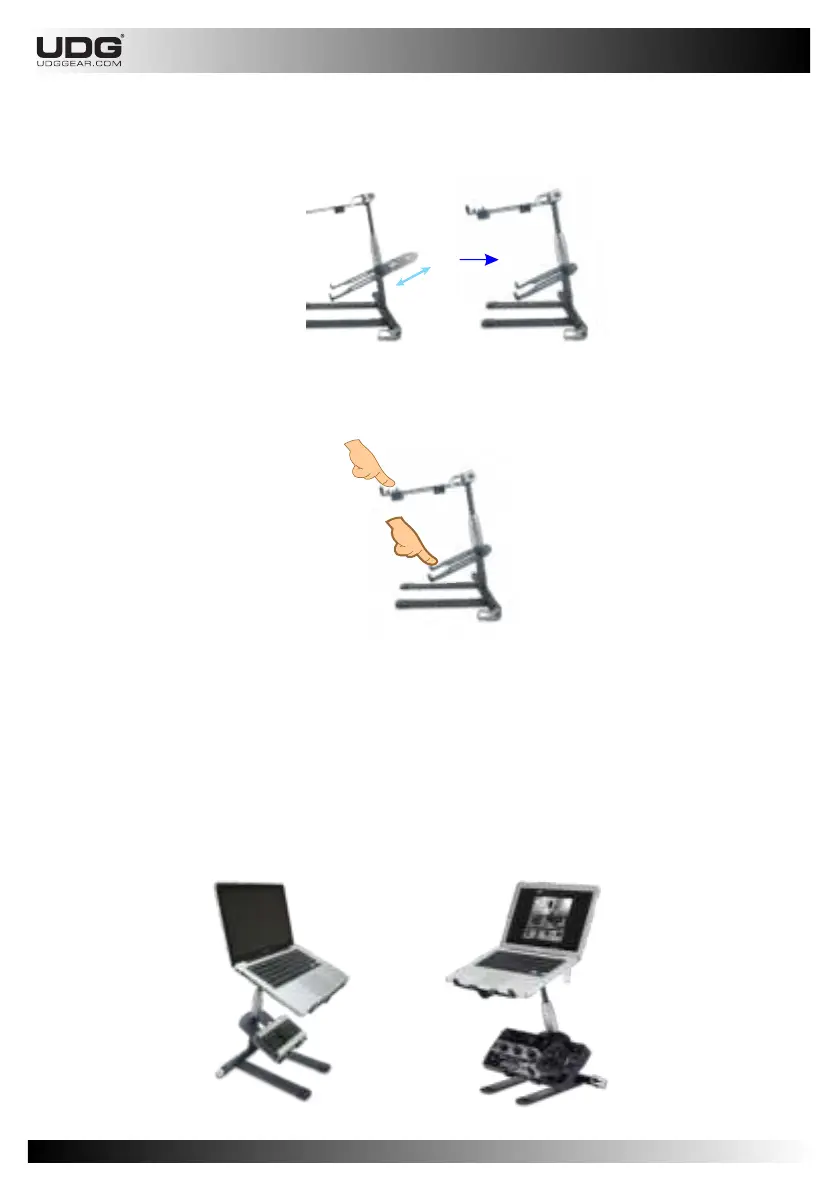
Step 5 : Put the Sub Tray into sub tray slot.
Gently feel if the sub tray sit on the right position on the sub tray slot.
Step 6 : Now your UDG Laptop/Controller Stand is standing up.
Check the clamping strength on the Main Tray and Leg by gently applying weight on it.
NOTE: If desired load capability is not met after checking, unlock the Lever Clamp and add more
pressure by rotating Knob clockwise. Adjust the Knob in small increments.
Step 7 : Now your UDG Laptop/Controller Stand is ready to use.
Check it by putting the gear above the main Tray and Sub Tray.
Please be careful if there is any sagging.
NOTE: If you experienced sagging, follow step four to seven.


 To Next Page