www. udggear.com
This section will give you clear explanation of recommended usage of UDG Laptop Controller
Stand. This will give you an easy overview about how to set UDG Laptop Controller Stand quickly
and safely.
2.1.5 Proper Usage
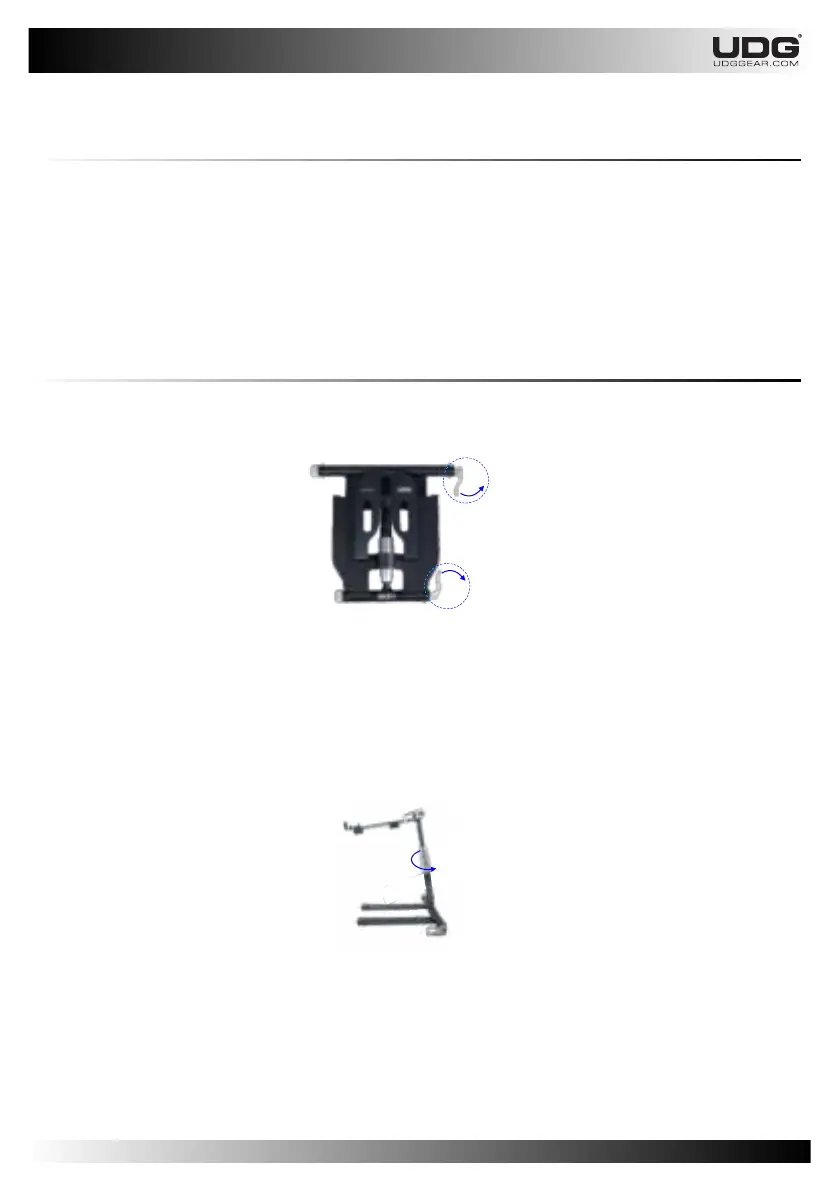
Step 1 : From folded shape, release both Lever Clamp by rotating out and away from the
clamping point.
2.1.5.1 Setting Up
11
Step 2 : Make sure both Leg and Main Tray rotate freely.
NOTE: If they do not rotate freely, immediately reduce clamping pressure by rotating Knob
counter clockwise.
Step 3 : Lift and set your UDG Laptop/Controller Stand to desired position.
Step 4 : Set initial tension by rotating Knob clockwise.
Rotate the Lever Clamp to clamping position.
Rotate the Height Fastener to clamping position.
NOTE : Do not over tighten. Finger-tight should be more than sufficient


 To Next Page