5
www. udggear.com
1.2 Help with this Manual
For UDG, customer service is the highest priority. If for any reason you have any questions that are
not covered in this manua,l please feel free to contact us.
See section 1.5 for the UDG Contact Information.
1.3 About this Manual
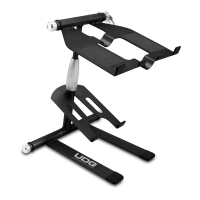
This manual has been made to ensure that our customer can easily understand and use the UDG
Laptop/Controller Stand. All the information in this manual is correct and complete. We always
welcome our customers suggestions for improvements to our product and associated publications.
1.4 Information and Safety Notes
Throughout this manual you will find text under headings NOTE: and CAUTION:
Under NOTE: headings, you will be given additional information pertinent to the subject discusses in
that paragraph or step.
Example :
NOTE: Ignoring either of these cautions will void the warranty and could result in damage to the UDG
Laptop/Controller Stand or gear.
Under CAUTION: headings, you will be alerted to potentially hazardous conditions which, if ignored or
mishandled, could result in damage to the equipment or your UDG Laptop/Controller Stand.
Example :
CAUTION: DO NOT attempt to rotate the Clamp Lever exceed from the maximum clamping point. It will
loosen the clamping pressure.
1.5 UDG Contact Information
Email :
Website :
Customer Service :
info@udggear.com
www.udggear.com
info@udggear.com


 To Next Page