www. udggear.com
13
Step 1 : Remove gear from UDG Laptop/Controller Stand.
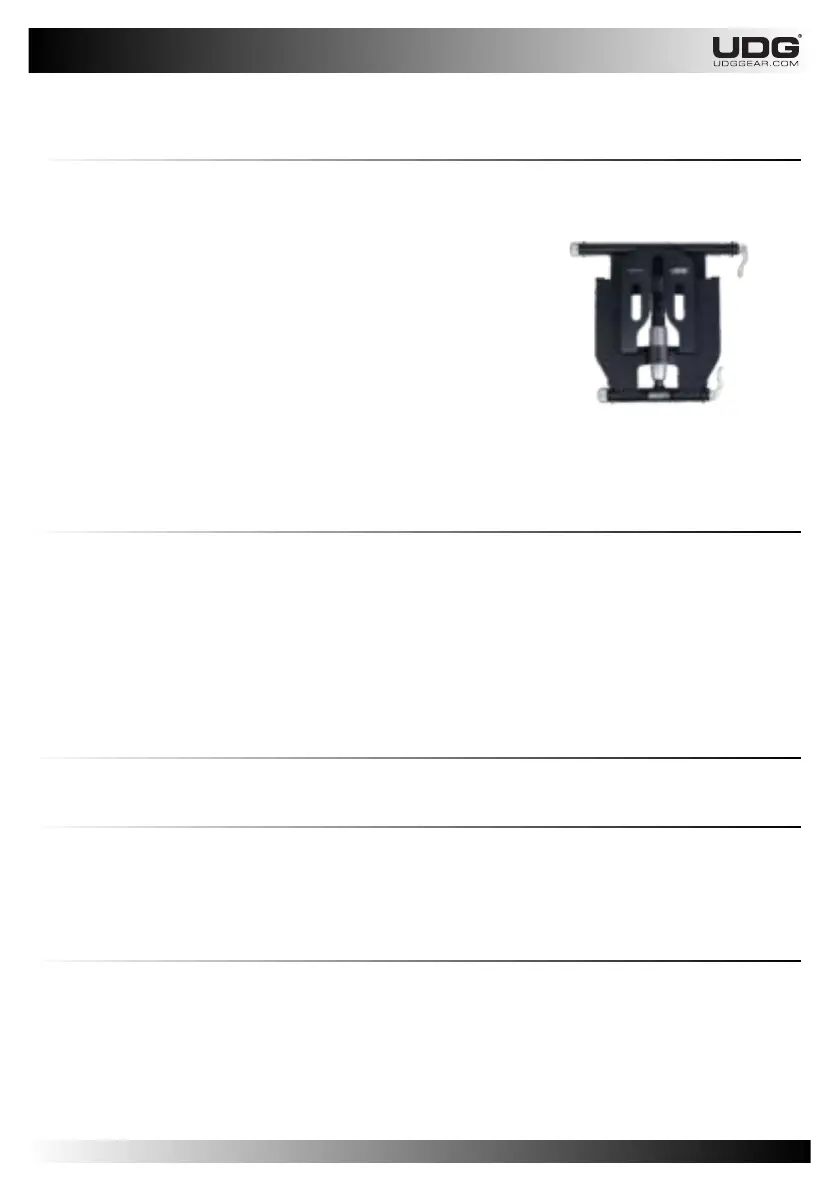
2.1.5.2 Tearing Down and Fold
Step 4 : Loosen both Lever Clamp.
Step 5 : Fold the
Rotate the Lever Clamp to clamping position.
UDG Laptop/Controller Stand.
Step 2 : Remove Sub Tray.
Step 3 : Loosen the Height fastener.
Move Main Tray side closer to the Leg.
Fasten again the Height fastener.
2.1.7 Warnings
2.1.6.1 Weight Overload
Maximum Weight Load Limitation is 00 Kg / 00 Lbs
DO NOT exceed the Weight Load Limitations.
2.1.6.2 Sagging
follow the step four to seven in the Proper Usage section.
Sagging can occur when the load exceed the proper tension setting. if you experience sagging,
2.1.6 Storing the Equipment
The best way to storing your UDG Laptop/Controller Stand is in folded shape. It will be less using of
the space.
Always put your folded UDG Laptop/Controller Stand in the neoprene sleeves which is come
together when you purchase. That is a proper protection to prevent from dust or dirt.


 To Next Page