Flight Checklist
1. Make sure the camera is in front of the drone and facing away from you.
2. Power on the drone and check the direction of the rotating propellers; the left front
and right rear A propellers should be rotating
clockwise, while the right front and left rear B
propellers should be rotating counterclockwise.
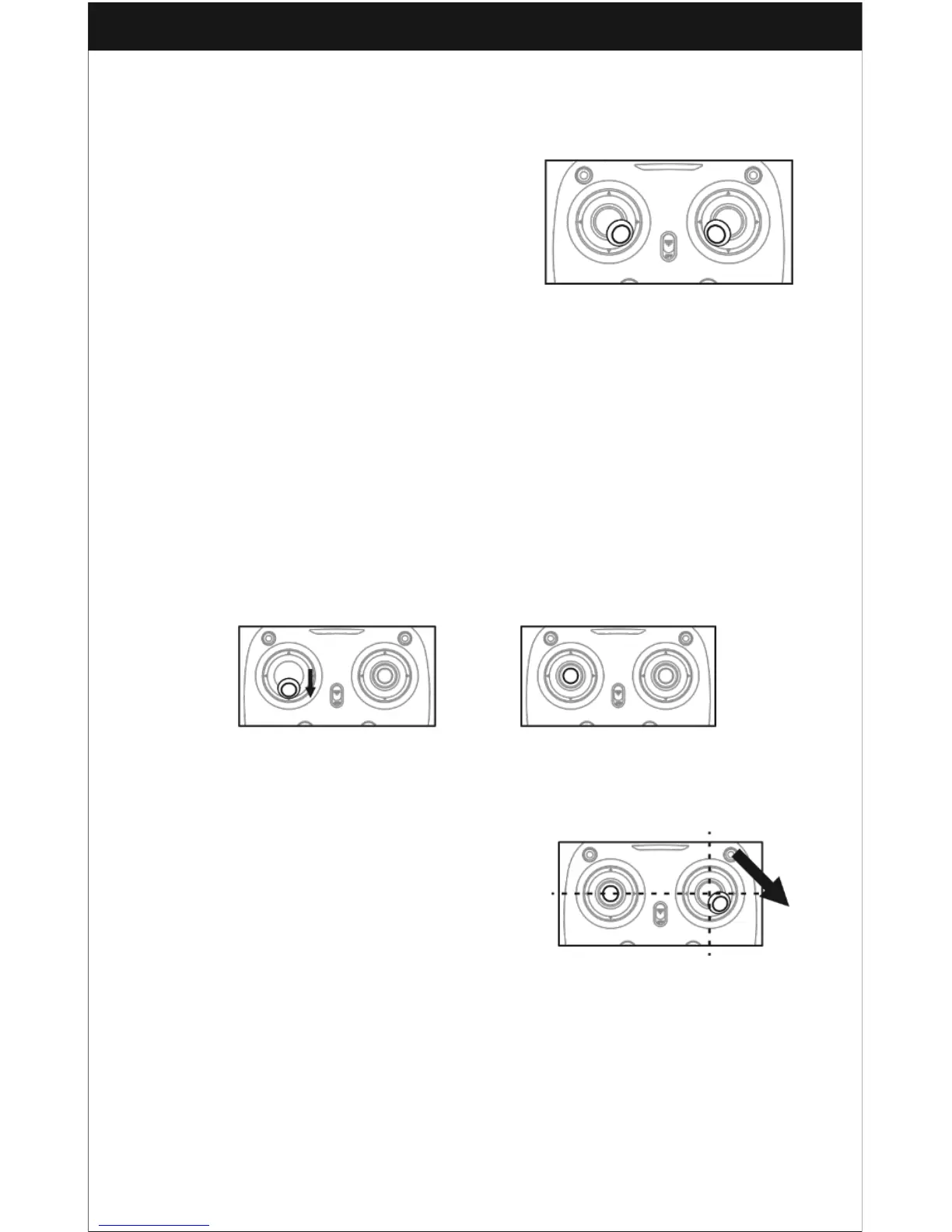
3. Activate (unlock) the motors: Move the Left
stick and Right stick at the same time as shown
in picture 12 to start the motors. Then repeat the
previous step again to lock the motors. Picture 12
4. After activating the motors, push the Left stick up slowly upwards and then pull it
slowly down to safely land the drone. Repeat this step a few times until you feel
confident that you can land the drone with ease.
5. If the drone is tilted to one side when flying, adjust the relative remote Trimmer
button.
Calibration Instruction
Please follow the steps below to calibrate the drone if it becomes imbalanced after
crashing during the flight and cannot be adjusted using the trimmer button.
1. Power off the drone and the transmitter.
2. Turn on the transmitter switch, push the Left stick all the way down to the lowest
position (Picture 13) and then release it. The Left stick will move back to the middle
position automatically to indicate that it is ready for frequency pairing (Picture 14).
Picture 13 Picture 14
3. Power on the drone and place it in a horizontal position on a flat surface. The drone’s
body lights will change from rapid flashing to a solid color to indicate that the pairing
has been successful.
4. Do not move the Left stick during the remainder
of the calibration process.
5. Push the Right stick as indicated in Picture 15
and then release it. The drone’s body lights should
flash to indicate that the drone is now calibrating.
7. When the drone is finished with a successful
calibration, the body lights will once again turn to a
solid color.
Notice: When the drone is fiercely impacted, the gyros may not recover and
make the vehicle difficult to control. If this is the case, you will need to power
off and power on again to calibrate.



 To Next Page