Introduction to the Functions
Take off/ One button take off/Landing
modes
Method 1 (Take off): After frequency pairing is successful,
push the Left and Right sticks, as shown in Picture 12, to
start the motor. Release the sticks and push the Left stick
upward until you achieve the desired altitude. Then release
the Left stick.
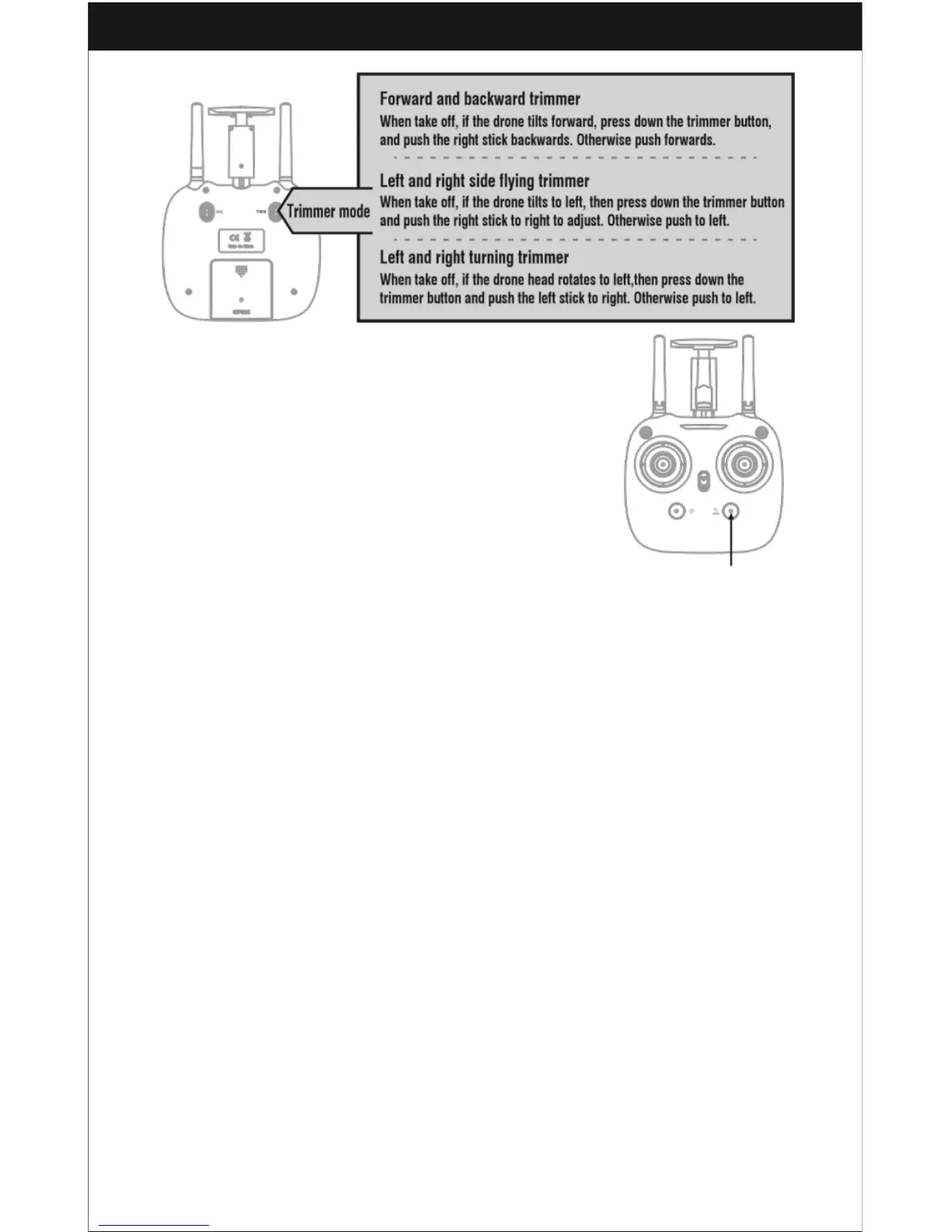
Method 2 (One Button Take Off): After frequency pairing is
successful and the motors have activated, press the Take
Off/Landing/Emergency Stop Button as shown in Picture 16
and the drone will automatically fly to an altitude of
approximately 1.2 meters.
Landing Methods
Method 1 (Landing): When flying, push the Left stick all the way down to the lowest
position (Picture 13) and hold it until the motors stop. From there, the drone will land
itself.
Method 2 (One Button Landing): When flying, press the Take Off / Landing /
Emergency Stop Button once (Picture 16), and the drone will land itself
automatically. Do not touch the Left stick while the drone is landing.
Emergency Stop: If the drone is in an emergency situation (if it’s about to hit people,
dangerous obstacles, etc.) press the Emergency Stop Button and hold it for more
than one second to stop the propellers.
Do not use the emergency stop function unless you are in an emergency situation.
The drone will fall out of the air very suddenly after the propellers stop.



 To Next Page