Pre-flight Operation Instructions
Frequency Pairing
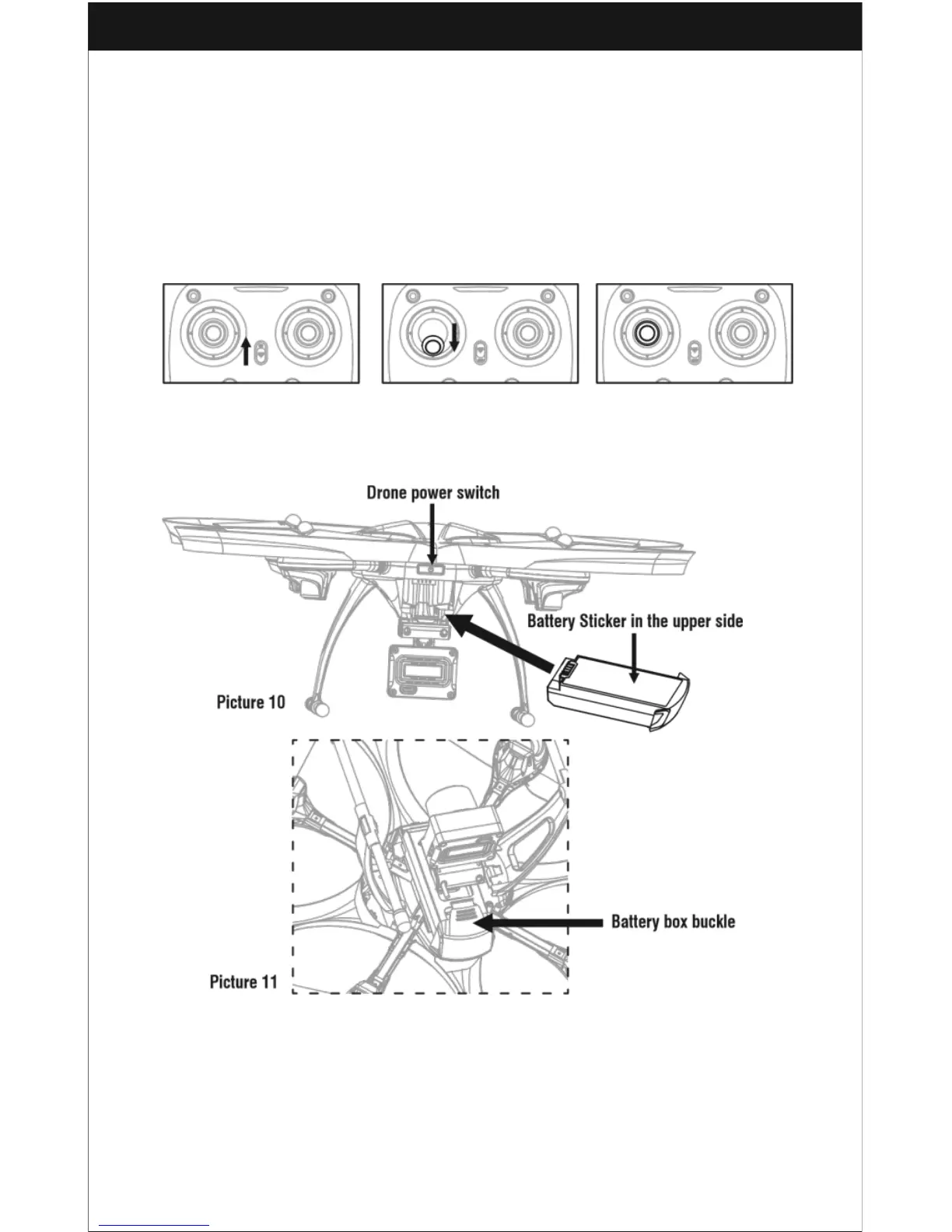
1. Turn on the transmitter switch (Picture 7) and the power indicator light will flash
rapidly. Push the Left stick all the way down to the lowest position and then release.
The Left stick will move back to the middle position automatically (Picture 8/9). The
power indicator light flashes slowly, which indicates the transmitter is ready for
frequency pairing.
Picture 7 Picture 8 Picture 9
2. Install the LiPo battery into the drone as shown (Picture 10). You will need to press
down the buckle and then push the battery in until it is securely fastened (Picture 11).
3. Hold the power button down for about two seconds (Picture 10), then place the
drone on a flat surface. When the drone body lights stop flashing and hold on a solid
bright color, the pairing has been successful.
Important Notice: Please make sure the drone is placed in a horizontal position
after powering on so that it will function properly.



 To Next Page