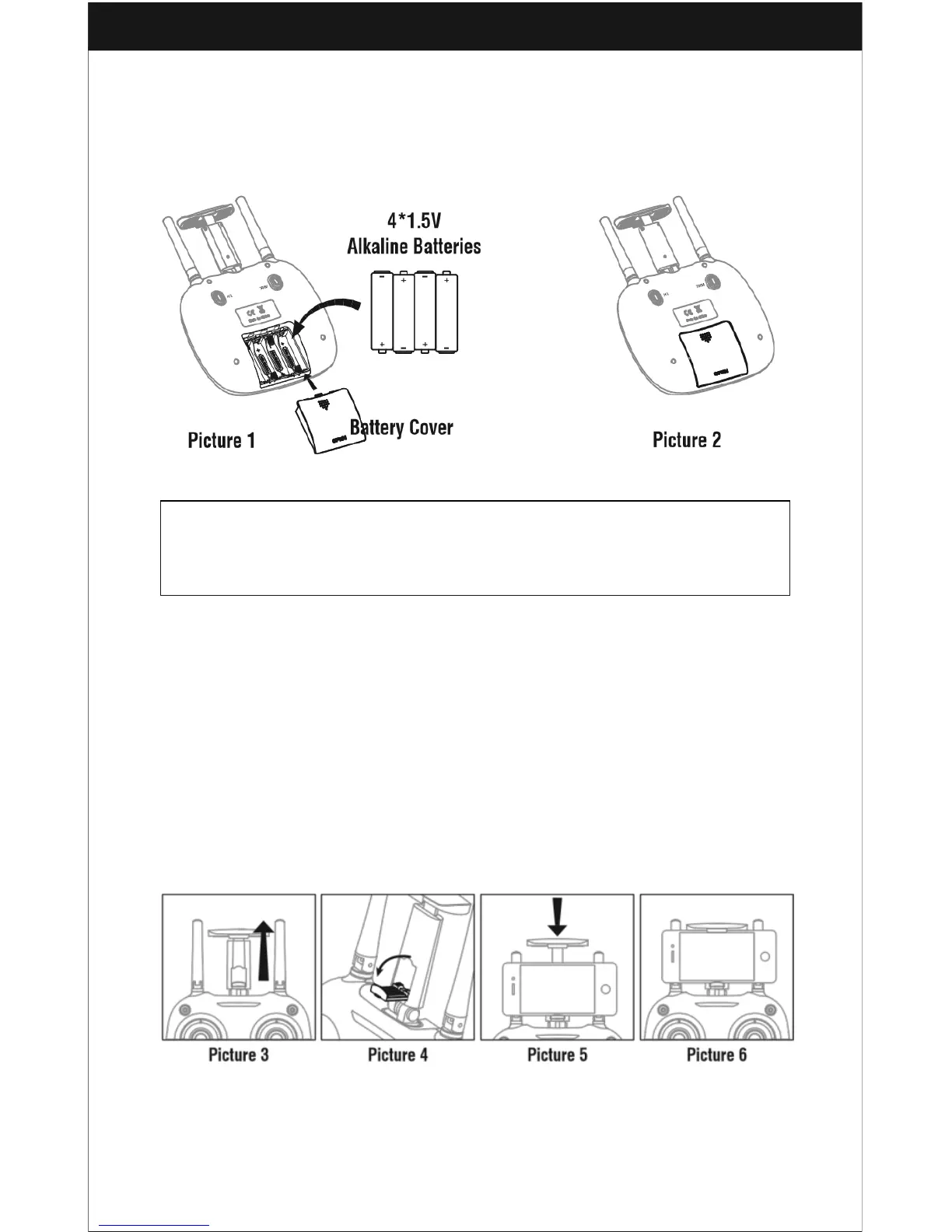
Battery installation:
Open the battery cover on the back side of the transmitter and put 4 alkaline batteries
(AA, not included) into the box in accordance with the electrode instructions, as
shown below.
1. Make sure the electrodes are correct.
2. Do not mix new and old batteries.
3. Do not mix different kinds of batteries.
4. Do not charge the non rechargeable battery.
Phone Installation Instruction:
1. Pull up the phone holder (Picture 3), open the lower clamp, then pull the upper
holder until you can hold the phone (Picture 4).
2. Put the phone into the holder and release the clamp. The clamp will hold the
phone tightly (Picture 5/6).



 To Next Page