H:0.1m
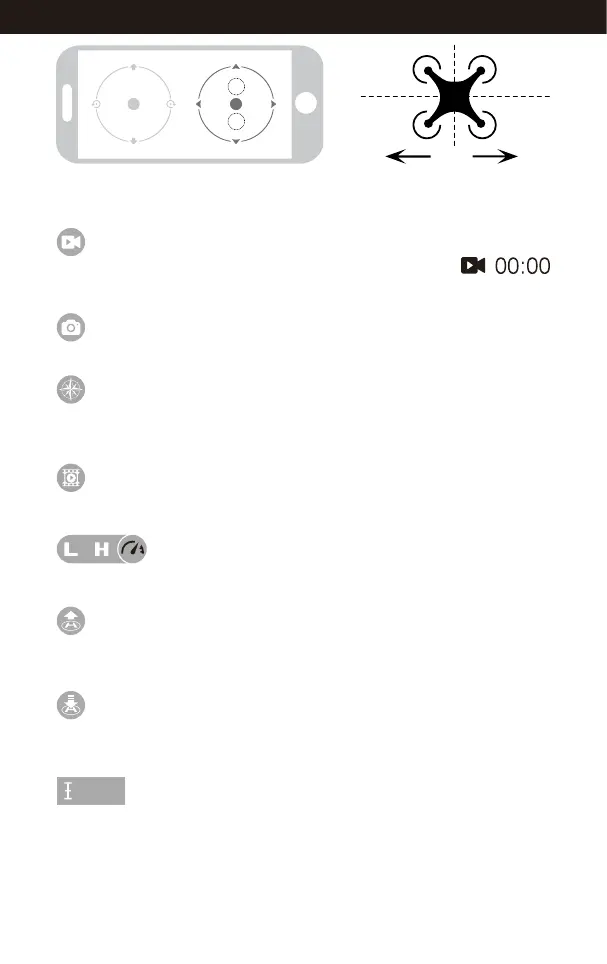
Tap this icon, the drone will fly down slowly and land on the ground.
All propellers will stop.
The real time flying altitude(Based on the calibration altitude)
One Button Landing
Flying Altitude
Click on this icon and it turns red shortly. The drone will fly up automatically and
stay flying at an altitude of 1.2 meters.
One Button Take Off
Tap to view or delete the aerial video and photo. Tap the Home Page icon to exit.
Access Media
By default , the drone is in Low Speed. Tap “H” to enter High Speed Mode.
High / Low Speed Mode
Tap to take a photo.
Take Photo
Tap and it turns red, indicating that the drones has entered Heading Hold Mode.
Tap again to exit from Heading Hold Mode. The icon turns white.
Heading Hold Mode
Tap to record video. The recording time will display at the
bottom of the screen. Tap again to stop recording.
Record Video
If the mobile phone tilts to forward / backward, the Right Ball will
roll forward / backward enabling the drone to fly forward / backward.
19
www.udirc.com



 To Next Page