VLS Service Manual - REV2015.04
Table of Contents
Adjustments and Settings
Page | 10
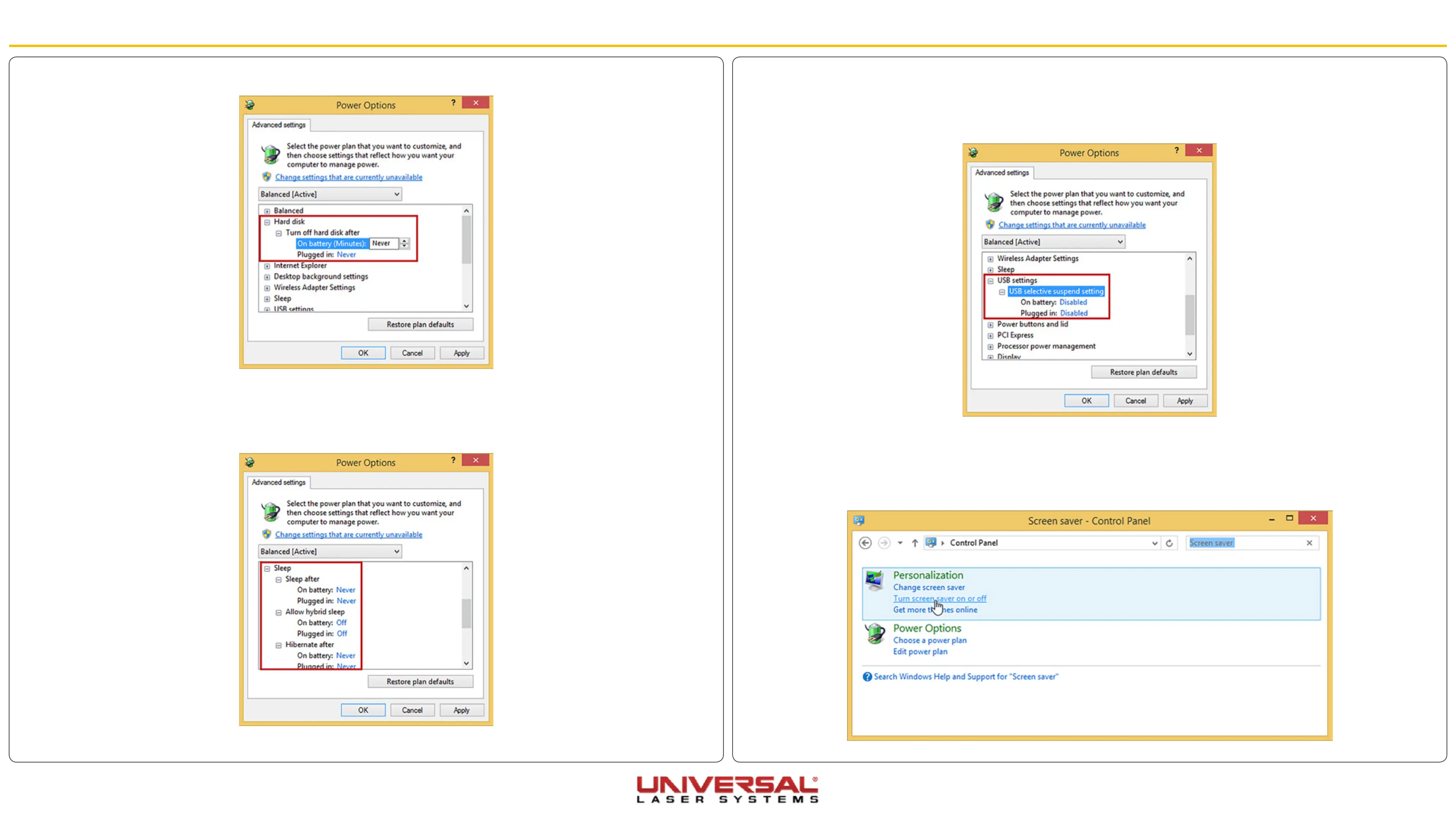
7. Set all Turn OFF hard disk after options to Never.
8. Click Apply.
9. Scroll to the Sleep settings and click the + symbol.
10. Set all Sleep options to Never or OFF.
11. Click Apply.
12. Scroll to USB settings and click the + symbol.
13. Set all USB selective suspend settings to Disabled.
14. Click Apply.
15. Click OK to close this window, then click Save Changes to close the Edit Plan Settings window.
16. In the still open Search Control Panel window type Screen Saver in the search box.
Adjustments and Settings


 To Next Page