VLS Service Manual - REV2015.04
Table of Contents
Adjustments and Settings
Page | 11
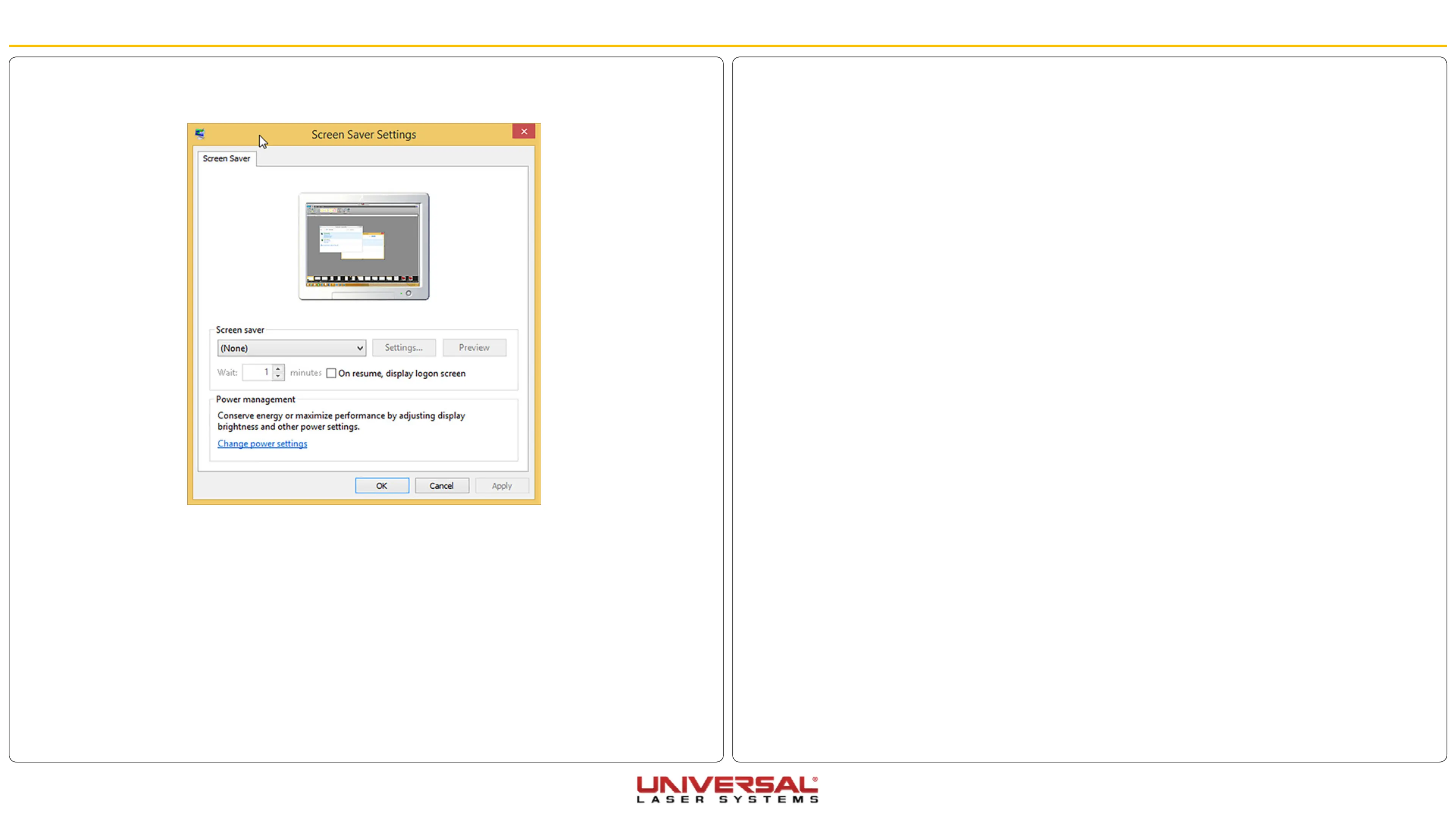
17. Click Turn screen saver on or off.
18. Set the Screen saver drop-down to None.
19. Click Apply to save the changes.
20. Click OK to exit.
Laser Power Upgrading
The VLS3.60, VLS4.60, and VLS6.60 are capable of upgrading to a maximum of 60 watts. When upgrading
either system, the VLS internal software (firmware) will automatically reflect the change. No changes are
required to the laser system for it to function properly.
Adjustments and Settings


 To Next Page