VLS Service Manual - REV2015.04
Table of Contents
Accessories
Page | 78
Rotary Cone/Cup
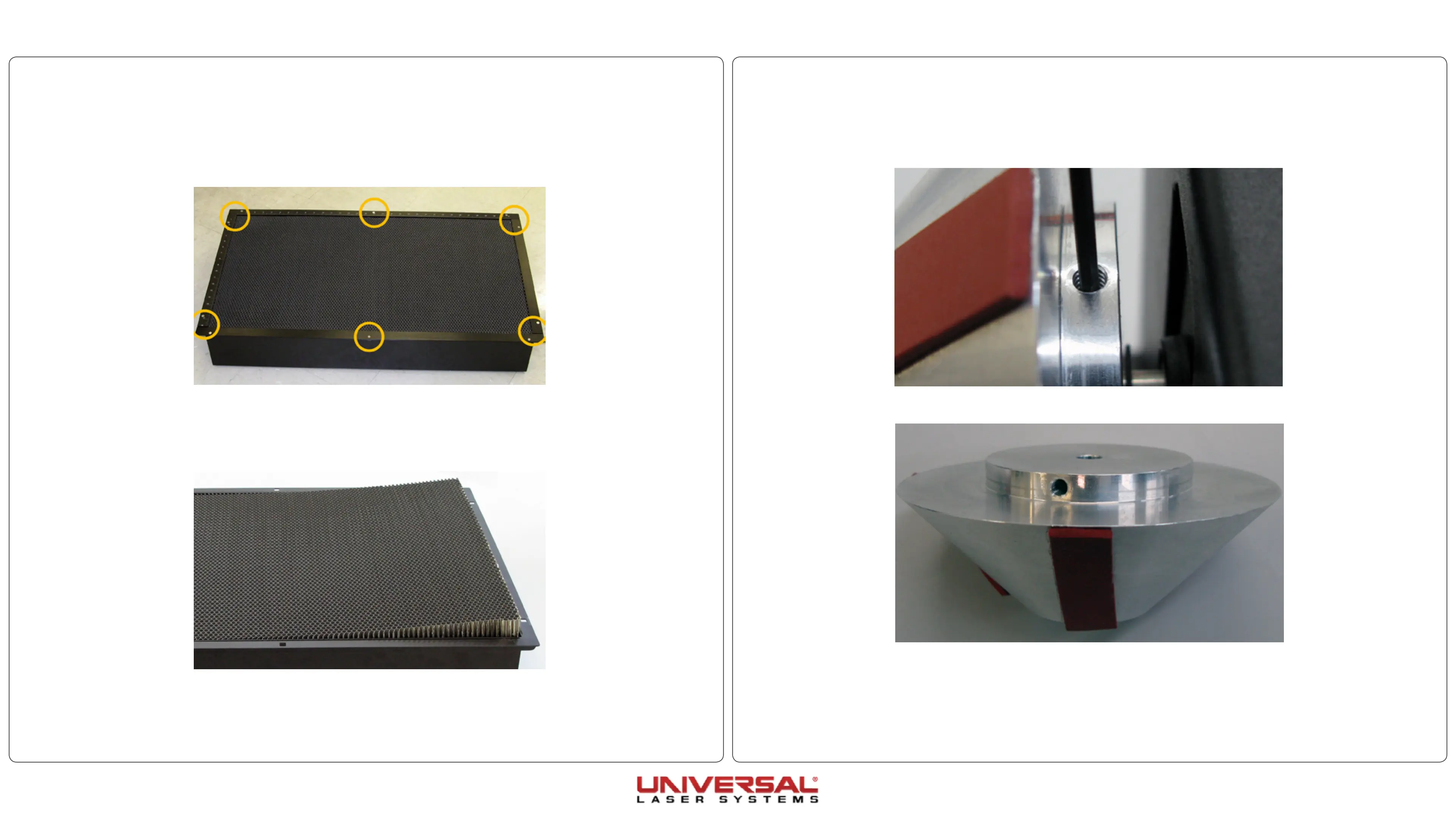
1. Remove the Rotary fixture from the system if installed and place on a flat working surface.
2. Locate and loosen the 8-32 set screw on the cone/cup.
3. Slide the cone/cup off the drift shaft or idler shaft.
4. Installation is opposite of removal.
Cutting Table Insert
1. Remove the cutting table from the system if currently installed.
2. Set cutting table on a safe and level working surface.
3. Remove the 8 screws holding the rulers and side braces of the cutting table in place and set aside.
4. Remove the rulers and side braces.
5. Carefully lift the cutting table insert out of the cutting table enclosure.
6. Clean all debris from inside the cutting table enclosure; this will help minimize the possibility of a fire
from inside the Downdraft Cutting Table during operation.
7. Locate the supports where the cutting table insert will be held inside the enclosure.
8. Installation is opposite of removal. Ensure that the new insert lays flat on the supports.


 To Next Page