VLS Service Manual - REV2015.04
Table of Contents
Accessories
Page | 79
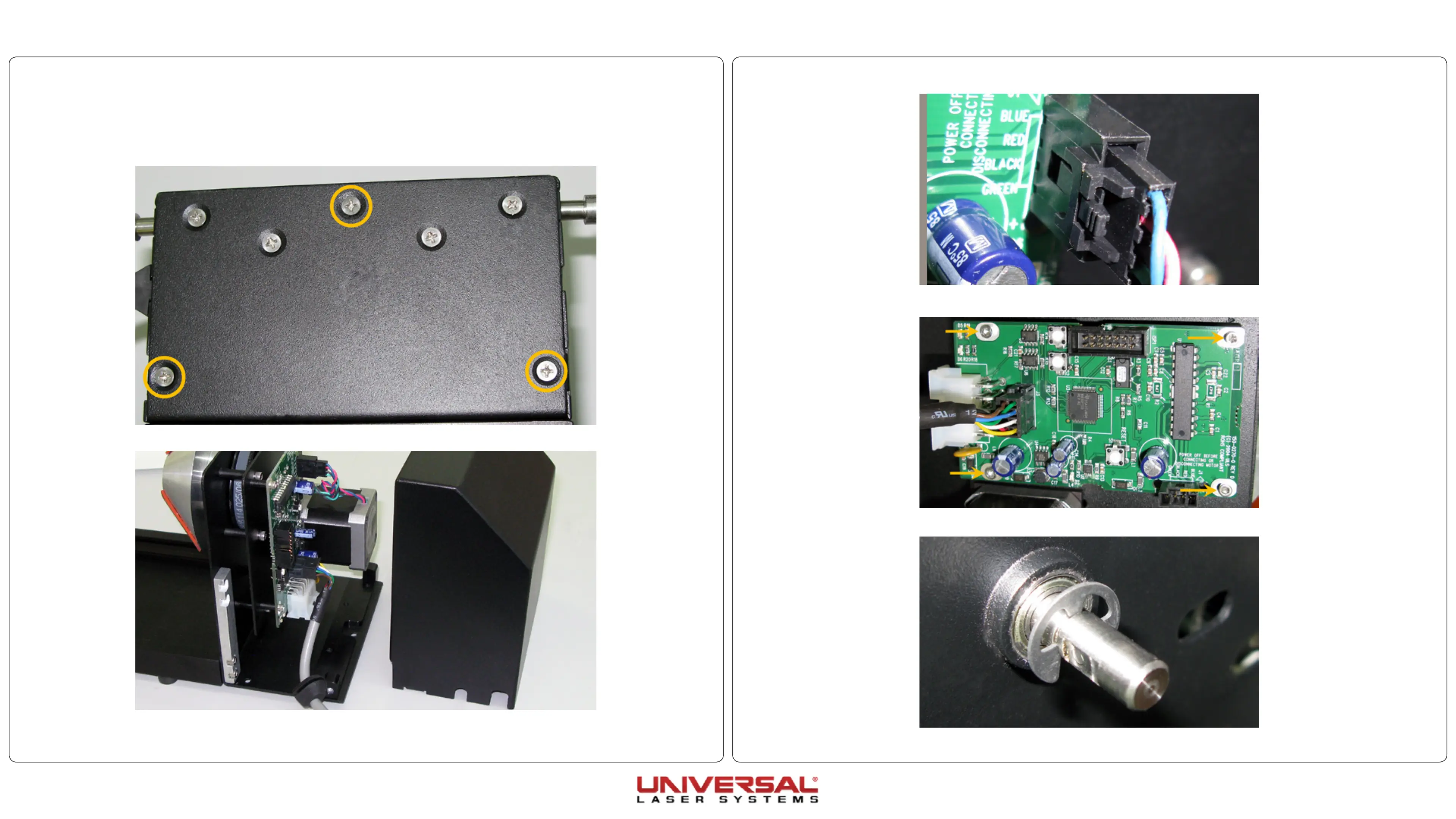
5. Disconnect the motor cable from the PCB board.
6. Take out the 4 screws holding the PCB board in position. Remove the PCB board and set it aside.
7. Remove the E-Ring from the drive shaft.
Rotary Belt/Motor
1. Remove the Rotary fixture from the system if installed and place on a flat working surface.
2. Turn the rotary over and remove the three screws holding the motor cover in place.
3. Turn the rotary back over and remove the cover by pulling straight up.
4. Remove the rotary cone/cup from the motor end.


 To Next Page