Setting Up the HI/LO Alarms
The iPet PRO blood glucose meter
provides an individual HI/LO alarm
for each animal type. To change to a
different animal type, please insert
glucode chip and select a desired
animal type.
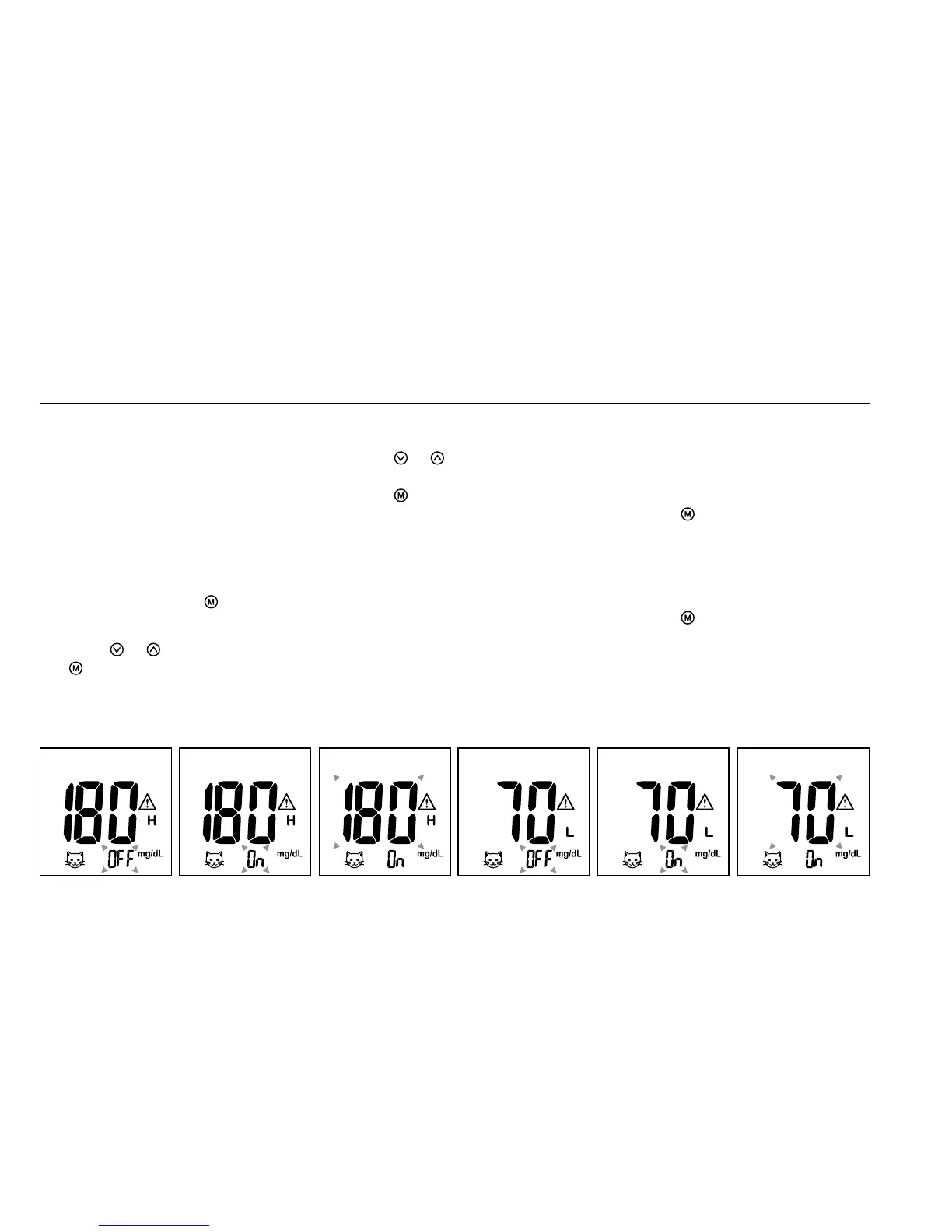
1. After completing the reminder
alarm setting, press
to enter
the HI alarm setting.
2. Press
or
to set “ON”, press
to confirm. If “OFF” is chosen,
the meter will skip this setting
(Fig. 18, 19).
3. To change the alarm setting,
press
or
until you reach
your desired HI setting and then
press
to confirm (Fig.20). The
HI alarm value range is 100 -
400mg/dL (5.5 - 22.0mmol/L)
and the default value is 180mg/
dL (9.5mmol/L).
4. Continue to the LO alarm
setting (Fig.21), repeat Steps
2 and 3 (Fig.22, 23) to confirm
or to change LO alarm setting.
Press
to turn off the meter.
The LO alarm value range is
40 - 90mg/dL (2.0-5.0mmol/L)
and the default value is 70mg/dL
(3.2mmol/L).
5. Press
to finish setting and the
meter will be turned off.
Before testing
•
Always keep test strips in the
original vial. Tightly close the
vial immediately after removing
a test strip.
•
Replace the glucode chip every
time you begin using a new vial
of test strips.
•
Use each test strip immediately
after removing it from the vial.
Each test strip should only be
used ONCE.
•
Do not use test strips or control
solution beyond the expiration
date printed on the package since
this may cause inaccurate results.
•
Store your test strips and
the meter in a cool, dry place
between 39°F and 86ºF (4°C
and 30ºC). Temperatures beyond
the required range, as well as
humidity, can damage test strips
and lead to inaccurate results.
•
Any change of medications based
on the iPet PRO Blood Glucose
Monitoring System results
without advice of a veterinarian is
NOT RECOMMENDED.
•
Never share a lancing device or
lancet with any other animal.
•
Only iPet PRO test strips and
control solution can be used with
this meter.


 To Next Page