Error Messages (continued)
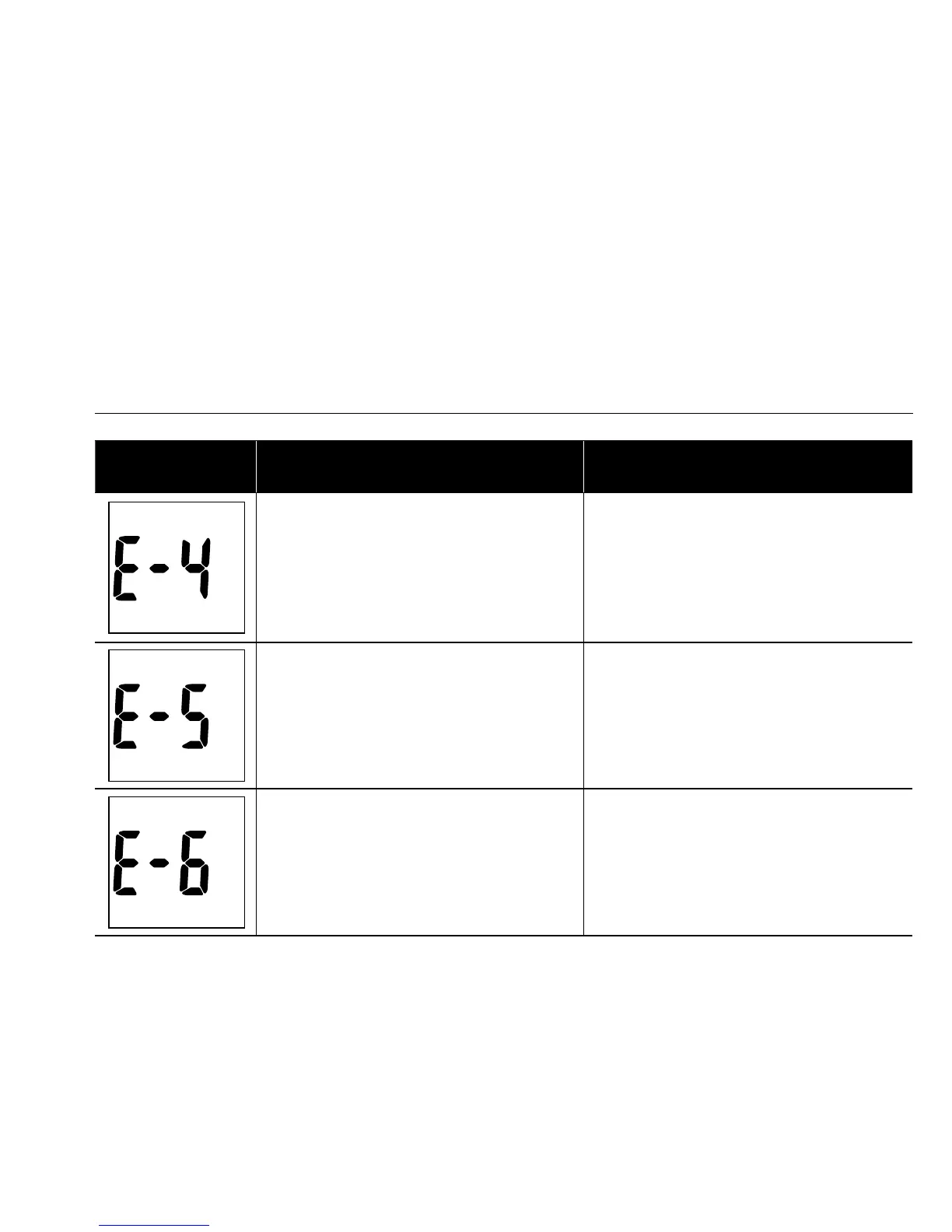
DISPLAY DESCRIPTION ACTION
An error message indicates a problem
with the test strip.
Review the instructions and try again with
a new test strip. If the problem persists,
contact customer service.
An error message indicates a problem
with the test strip or meter.
An error message indicates a problem
with the meter.
Remove batteries and wait for 1 minute, then
reinstall batteries to see if meter is working
properly. If the problem persists, contact
customer service.
Error Messages (continued)
DISPLAY DESCRIPTION ACTION
An error message indicates a problem
with the test strip.
Review the instructions and try again with
a new test strip. If the problem persists,
contact customer service.
An error message indicates a problem
with the meter.
Remove batteries and wait for 1 minute, then
reinstall batteries to see if meter is working
properly. If the problem persists, contact
customer service.
An error message indicates a problem
with the test strip.
Review the instructions and try again with
a new test strip. If the problem persists,
contact customer service.


 To Next Page