9
5. RS232 Control
1. Connect RH144 to a PC using RS232 cable.
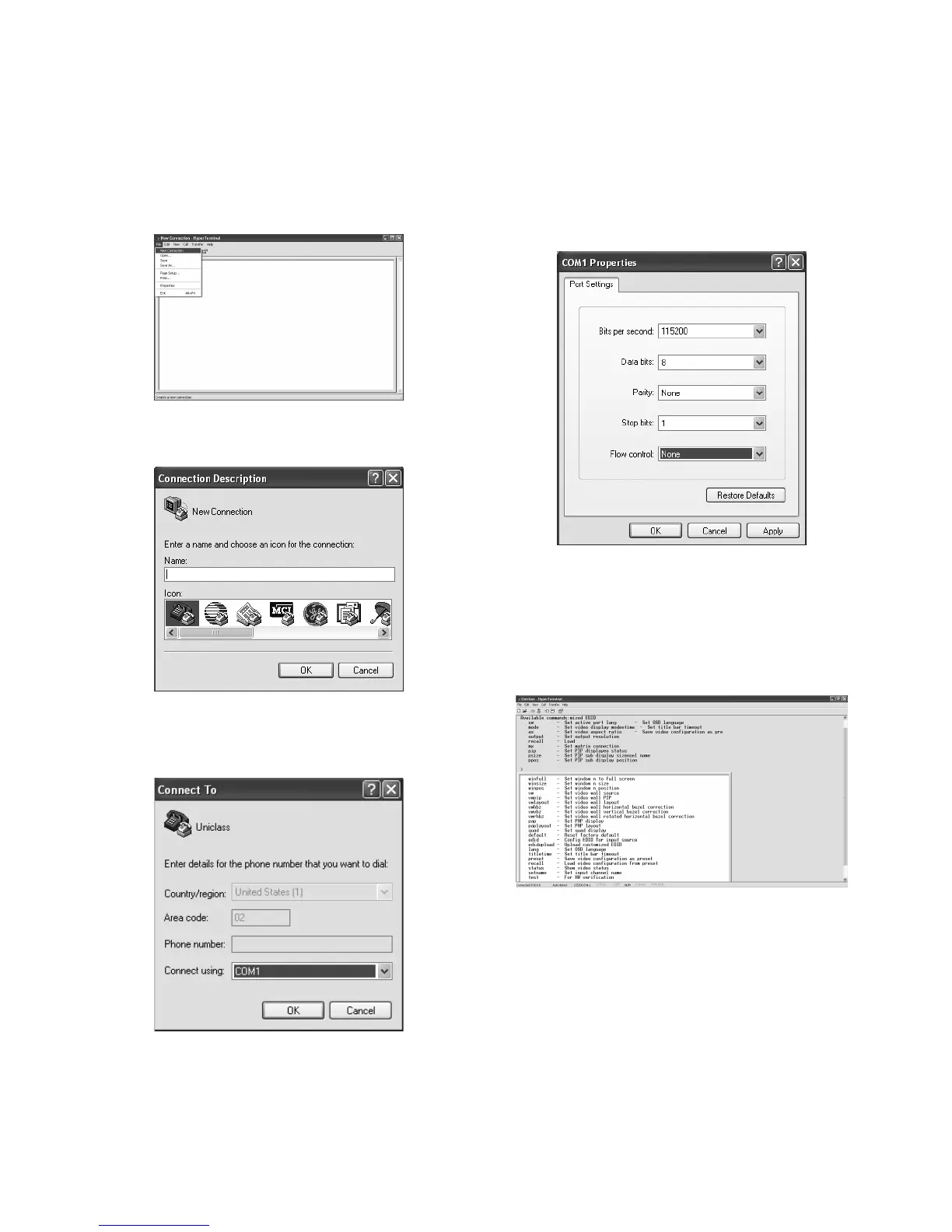
2. Open Hyper Terminal and
create a new connection.
Program > Accessories > Communications >
Hyper Terminal > New Connection
3. Enter a preferred name, and then click OK.
4. Select Connect using to COM+X (X is the port
which connected to RH144).
5. Enter the following data to each option, then
press Apply > OK.
Bits per second: 115200
Date bits: 8
Parity: None
Stop bits: 1
Flow control: None
6. The window of Hyper Terminal will appear
after completing the settings. To enter
commands, press Enter. For more command
details, refer to the list next page or enter
"help" in Hyper Terminal for reference.


 To Next Page