EasyManua.ls Logo

Unico S-2150 Series - User Manual

Unico S-2150 Series
44 pages
Print Icon
To Next Page IconTo Next Page
Loading...
S-2150 SERIES
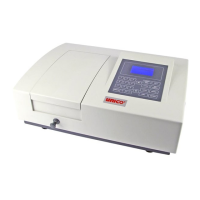
SPECTROPHOTOMETER
USER’S MANUAL
V 2.0
United Products & Instruments, Inc.
182-E Ridge Road
Dayton, NJ 08810
732-274-1155 FAX 732-274-1151
www.unicosci.com
Rev. S2150-5.0

Questions and Answers

  • M
    Michael HendricksAug 5, 2025
    Why is my Unico S-2150 display not changing with sample concentration?
    • J
      Jason MooreAug 5, 2025
      Several factors can cause the display to remain constant despite changes in sample concentration: * The sample solution might be too dark; dilute it and repeat the measurement. * The wavelength setting could be incorrect; verify the sample procedure and wavelength setting. * There might be insufficient sample volume; ensure the cuvette is adequately filled. * Stray sample preparation vapors may be present; prepare the sample away from the instrument and ensure proper ventilation. * Bubbles or particles might be in the solution; review the sample preparation and analytical procedure. * A defective electronic component or loose wiring could be the cause; check wiring connections.
  • J
    Jasmine JeffersonAug 11, 2025
    What to do if my Unico S-2150 is inoperative?
    • C
      Chase Garcia DDSAug 11, 2025
      If your instrument is not working, consider the following: * Ensure the power cord is properly connected to a working outlet; plug it in if necessary. * Try a different power outlet to rule out a dead outlet. * Check the power supply (100v-230v) to ensure proper power input.
  • K
    Kari MahoneyAug 17, 2025
    Why are my Unico Measuring Instruments readings incorrect?
    • M
      Mary FoxAug 17, 2025
      Incorrect readings can stem from several causes: * Insufficient sample volume: ensure the cuvette is adequately filled. * Incorrect wavelength setting: verify the analytical procedure and wavelength setting. * Stray sample preparation vapors: prepare the sample away from the instrument and ensure proper ventilation. * Bubbles or particles in solution: review the sample preparation and analytical procedure.
  • J
    Jonathan ScottAug 23, 2025
    Why does my Unico S-2150 Measuring Instruments have drift and noise?
    • A
      Amanda JamesAug 23, 2025
      Drift and noise issues may arise due to: * Improperly adjusted lamp: ensure the lamp is correctly installed and hasn't shifted. * Old or defective lamp: replace it with a new one. * Unstable power to the lamp: check the power supply PCB to the lamp.
  • D
    dmedinaAug 28, 2025
    What to do if Unico Measuring Instruments cannot set 100%T (0.000A)?
    • P
      philip18Aug 28, 2025
      If the instrument fails to set 100%T (0.000A), consider these possibilities: * A blocked light beam: inspect the sample holder to ensure it's correctly positioned and nothing obstructs the light path. * A weak or defective lamp: replace the lamp.

Summary

General Information

Safety Precautions

Essential safety guidelines for operating the spectrophotometer and handling chemicals.

Electrical Safety

Requirements for safe power connection and handling electrical hazards.

Operational Warnings

Critical warnings about high voltage and potential apparatus dangers.

Instrument Performance Checks

Guidance on ensuring instrument performance and carrying out accuracy checks.

Spectrophotometer Working Principle

Explanation of the spectrophotometer's components and operational mechanism.

Unpacking and Contents Check

Steps for carefully unpacking and verifying all instrument components.

S2150 Series Specifications

Detailed technical specifications for Model S-2150 and S-2150UV.

Instrument Installation Guide

Instructions for properly installing the instrument in a suitable environment.

Operational Panel Overview

Key Function Descriptions

Detailed explanation of the functions for each key on the operational panel.

Operation Instructions

Preparation and Initialization

Steps for preparing and initializing the spectrophotometer before its first use.

Basic Mode Measurements

How to select and perform measurements using the Basic Mode (%T/Abs or Energy).

Quantitative Test Procedures

How to define and establish quantitative test methods and curves.

Creating a New Standard Curve

Steps for creating a new standard curve using standards or coefficients.

Measuring Standard Samples

Detailed process for measuring standard samples to build a calibration curve.

Saving Standard Curves

How to save the established standard curve for future use and recall.

Replacing Saved Curves

Procedures for replacing an existing saved standard curve.

Displaying Curve and Equation

How to view the saved standard curve graph and its mathematical equation.

Creating Curve by Coefficient

Steps to create a standard curve using known coefficients instead of standards.

Editing Standard Curves

How to modify parameters of an existing standard curve.

Deleting Standard Curves

Procedures for permanently removing saved standard curves from memory.

Loading Curve for Testing

How to load a saved standard curve to perform subsequent sample tests.

Managing Favorite Tests

How to access, run, and remove curves from the favorite tests list.

Running Tests with Standard Curve

How to execute sample tests using a loaded standard curve.

System Setup

DNA;Protein Analysis Methods

Overview of methods for DNA Ratio, RNA ratio, and concentrations.

Clock and Date Configuration

How to set and adjust the instrument's internal clock and date.

Dark Current Calibration

Procedure to check and refresh the system's dark current for accurate readings.

Wavelength Calibration

Steps to recalibrate the instrument's wavelength for accuracy.

Wavelength Correction

How to fine-tune the instrument's wavelength accuracy.

Language Selection

How to select the preferred language for the instrument interface.

Firmware Version Information

How to check the instrument's current firmware version.

Lamp Service Procedures

Instructions for servicing the instrument's lamp (S2150UV model).

PC Connection

Accuracy Checks

Wavelength Calibration Verification

Methods to verify wavelength calibration integrity, especially after shocks.

Holmium Oxide Filter Method

Using the Holmium Oxide filter to check wavelength accuracy.

Didymium Filter Method

Using the Didymium filter to check wavelength accuracy.

Absorbance Accuracy Verification

Methods to check the accuracy of absorbance measurements against standards.

Stray Light Level Check

How to test and ensure the instrument's stray light level is within specification.

Lamp Replacement

Halogen Lamp Replacement

Step-by-step guide for safely removing and installing the halogen lamp.

Troubleshooting Guide

Unico S-2150 Series Specifications

General IconGeneral
BrandUnico
ModelS-2150 Series
CategoryMeasuring Instruments
LanguageEnglish

Related product manuals