EasyManua.ls Logo

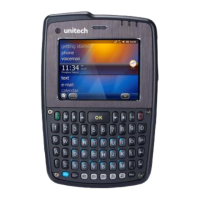
Unitech PA500 - User Manual

Unitech PA500
123 pages
Print Icon
To Next Page IconTo Next Page
Loading...
Unitech Electronics Co., Ltd
Created
by Yukiko
PA500 Operation
Manual
V2.0 Page 1 of 123
PA500 Operation Manual
Author: Yukiko Goh
Date Created: 4
th
October 2006
Last Modified: 23
rd
January 2007

Other manuals for Unitech PA500

Questions and Answers

  • D
    Dennis LeeAug 6, 2025
    What to do if my Unitech PA500 always prompts for authentication?
    • S
      Sharon WrightAug 6, 2025
      If your Unitech PDA consistently prompts for authentication, try the following steps: First, execute Mobile Word. Then, type “/Windows/certoff.exe”. Next, select “Menu” > “File” > “Save as”. Save this file as “autoexec.txt” in any folder, and when asked if you want to save as Word Format, tap “No”. Finally, move the “Autoexec.txt” file to Flash Storage and cold or warm start the terminal.

Unitech PA500 Specifications

System Memory IconSystem Memory
SDRAM64 MB
Flash ROM64 MB
Display IconDisplay
display resolution240x320 QVGA
display typeColor Transflective TFT
touch screenyes
Laser Bar Code Scanner IconLaser Bar Code Scanner
scan rate104 scans/sec ± 12 scans/sec
scan angle default47°±3°
scan angle reduced35°±3°
Power IconPower
main battery voltage3.7 V
main battery capacity2200 mAh
rechargeable time3.5 hours
Operating Environment IconOperating Environment
operating temperature32°F to 122°F (0°C to 50°C)
storage temperature-4°F to 140°F (-20°C to 60°C)
relative humidity5% ~ 95% (non-condensing)
Weight and Dimensions IconWeight and Dimensions
weight with battery and scan engineUnder 213 g
length126 mm
height23 mm

Related product manuals