Vision
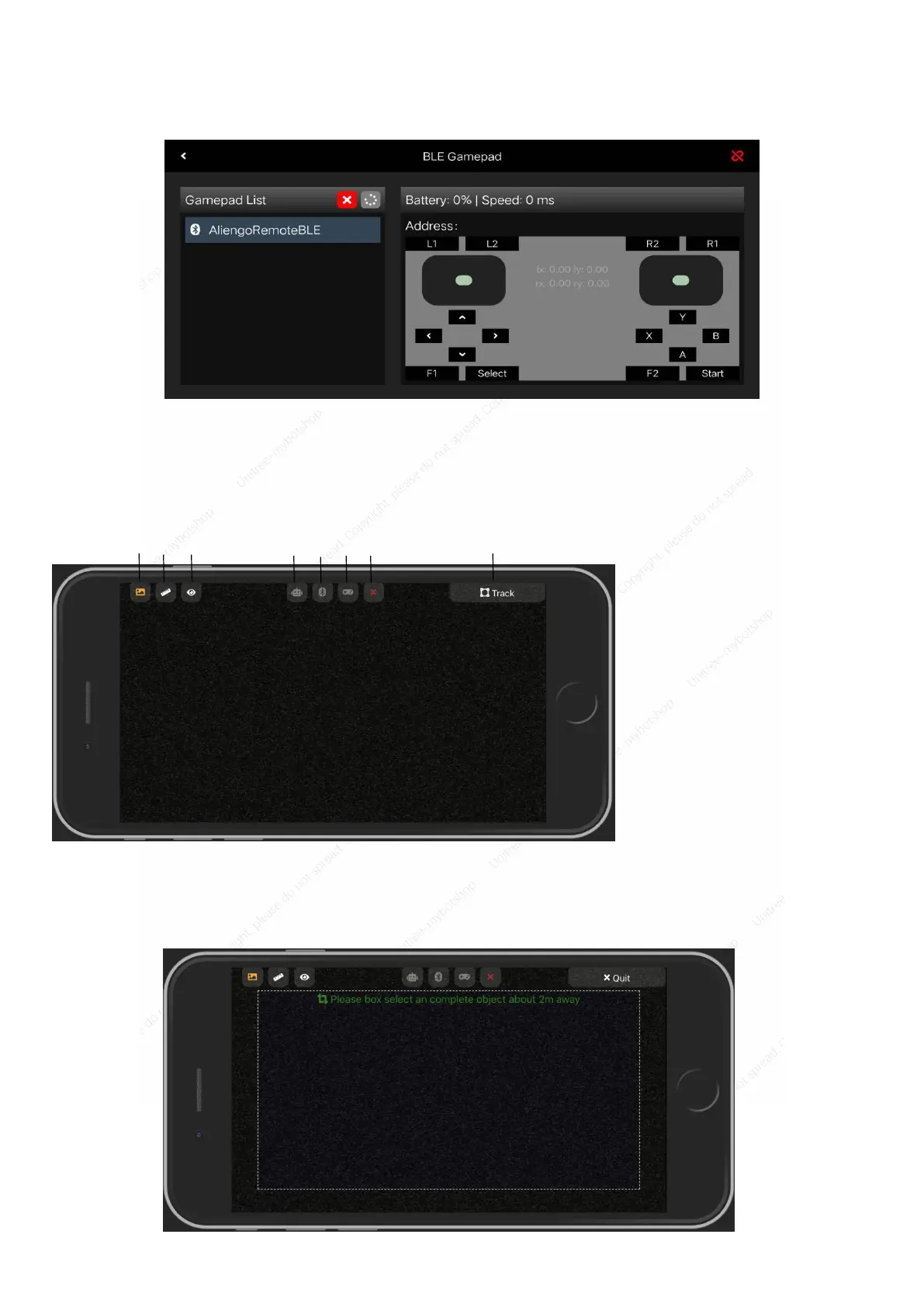
Click the machine vision button to enter the following operation interface:
Image mode shows the robot perspective; depth mode shows the distance between the object and the robot,
the closer the distance, the darker the color.
When the robot is in motion mode, click on the open tracking button to enter the character tracking interface,
select the person to be tracked in the image, and the robot will follow automatically. Do not track missions in
scenes with complex terrain or many obstacles.
[1] Image mode
[2] Depth mode
[3] Body recognition
[4] Robot
[5] Bluetooth
[6] Handle operation
[7] Exit
[8] Track



 To Next Page