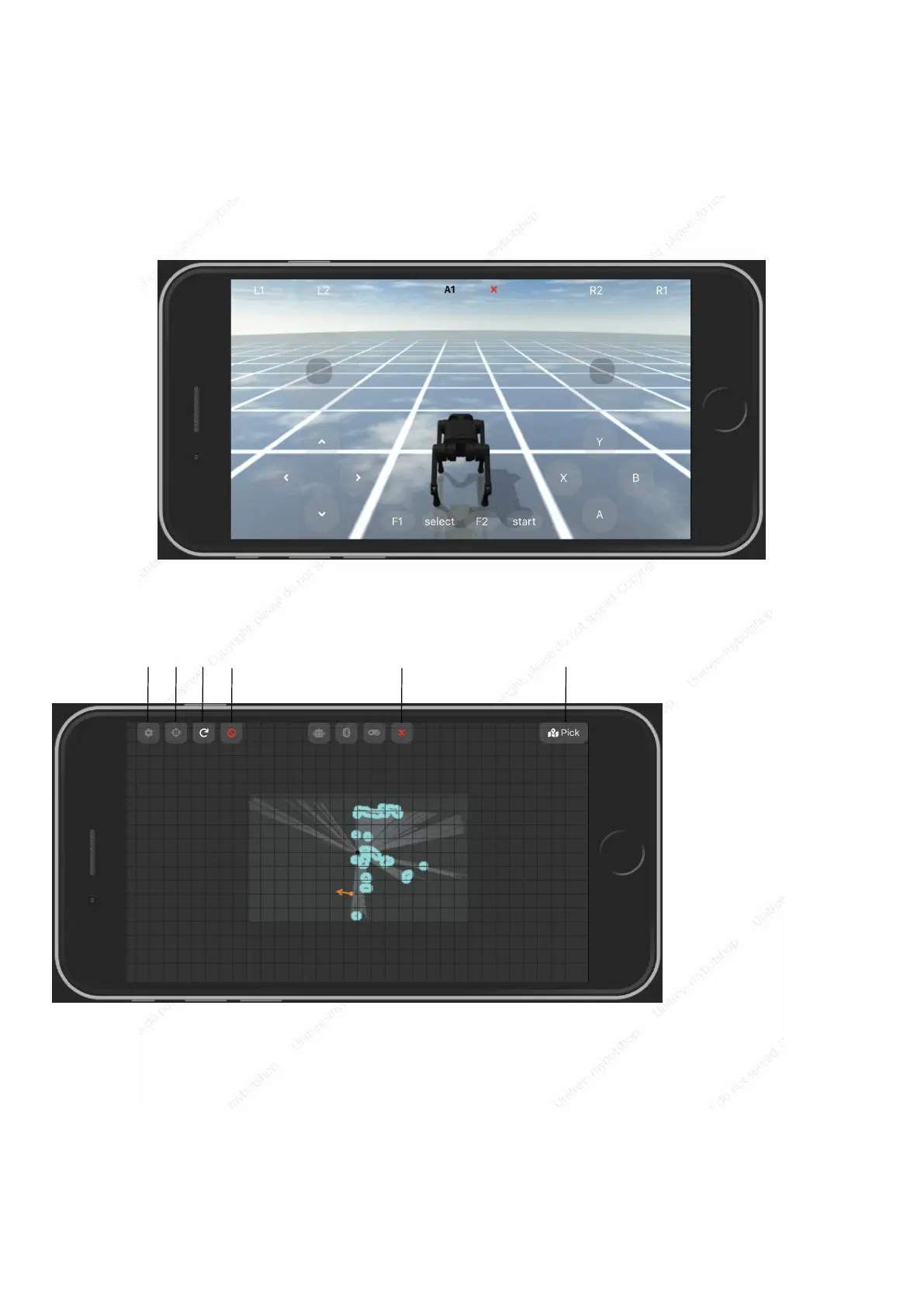
Simulator
Click to enter the simulation operation interface. When the robot is not connected, you can learn the handle keys
and functions through simulation control. For operation, refer to "Remote Control Module-Handle Operation".
The simulator only supports basic actions, and combined actions are still being improved.
SLAM
When the robot is in W mode, click to enter SLAM.
Click to select the point and enter the following interface:
The map is updated in real time according to the radar data of the robot. You can select any point on the map
and send the information to the robot after confirmation. The robot will autonomously navigate to the
destination, avoid obstacles autonomously, and select the optimal path.
[1] Select
[2] Update the map
centered on the robot
[3] Refresh the live map
[4] Stop robot
[5] Exit
[6] Pick



 To Next Page