18
USING MACROS (continued)
To Clear A Macro:
1. On the remote control,press and hold SETUP
until the last-selected device key blinks twice,
then release SETUP.
2. Enter 9 - 9 - 5.The last-selected device key will
blink twice.
3. Press MACRO once.
4. Press and hold SETUP until the last-selected
device key blinks twice, then release SETUP.
NOTE: A macro will be cleared in the order it was
originally stored.
CHANGING VOLUME LOCK
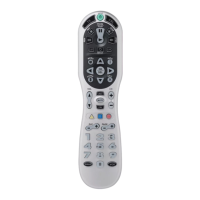
On the Atlas Universal Remote Control,Global Volume Lock
is set to TV,so you can control TV volume while in the TV,
VCR, or Cable mode. If desired, you can still perform
Individual Volume Unlock on a selected device to set its
volume control for independent operation.
NOTE: If you lock the volume controls to the AUDIO mode, you will
still have control of the audio device’s volume in all other modes
(i.e., TV,VCR,and CBL).
To Unlock Volume Control For A Single Device
(Individual Volume Unlock):
1. Assuming Global Volume Lock is active, select a
mode on the remote control that you want to
unlock (e.g.,CBL) and press it once. Next, press
and hold SETUP until the device key blinks
twice, then release SETUP.
2. Enter 9 - 9 - 3.The last-selected device key will
blink twice.
3. Press VOL– once. The selected device key will
blink four times.






 To Next Page