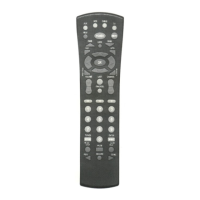
Use TV/VCR to switch the TV input
to view video or TV programs. For
amplifiers/receivers,use this key to
select input or output.
In all modes except CBL, use these
keys to control a VCR, DVD player,
or PVR.To record in the VCR
mode, press REC twice.
In the CBL mode,use these keys
except REC to control VOD (Video
On Demand), if available.
INSTALLING BATTERIES
1. On the back of the remote control, push the tab
and lift off the battery cover.
continued on next page...
7













 To Next Page