Link to Table of Contents
User Guide
234
ULS Reference Guide Book
The laser system comes equipped with a high quality, 6-foot (1.82 meters) USB 2.0 certied cable. We
recommend you use this provided cable.
CAUTION: Do not use any adapters, extension cables, USB cable longer than 6 feet (1.82
meters), or other devices between the computer’s USB port and the port on the laser system,
or sporadic or unpredictable behavior may result.
USB 2.0 Hi-Speed (Only)5.
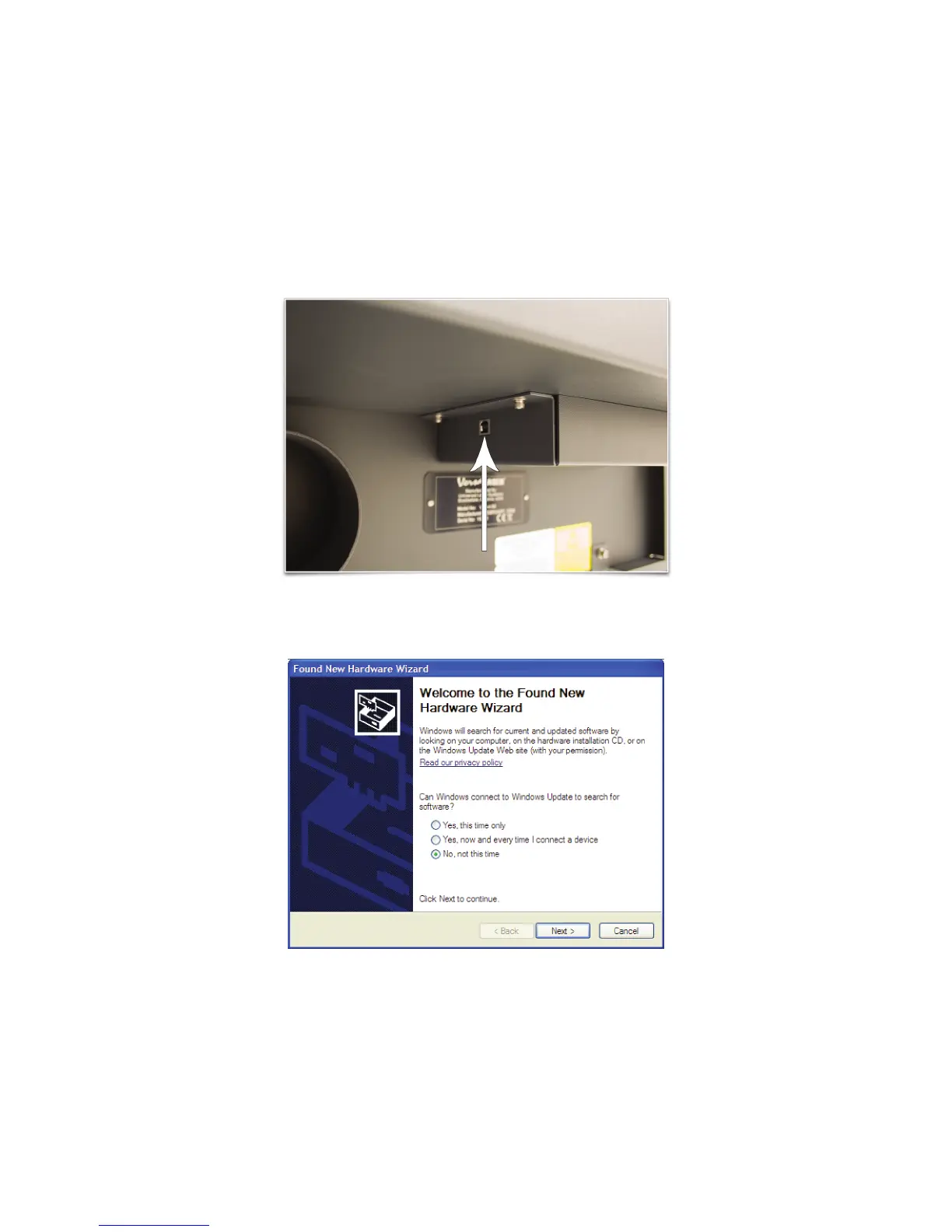
Connect the USB cable provided between the USB port of the computer and the USB port on the back a.
of the VersaLASER system. Do not use a USB cable longer than 6 feet (1.82 meters).
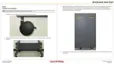
After connecting the USB cord, the Found New Hardware Wizard will open and oer to connect to b.
“Windows Update” to search for software. Select “No, not at this time.” Then click “Next” to continue.



 To Next Page