Link to Table of Contents
User Guide
70
User Manual
Graphic Page Conguration for Rotary (CorelDRAW)
Note: If you are using the Material Database printer driver to engrave on an object, you do not need to
change the page size of your graphic software.
If you are using the Manual Control printer driver, please follow the steps below.
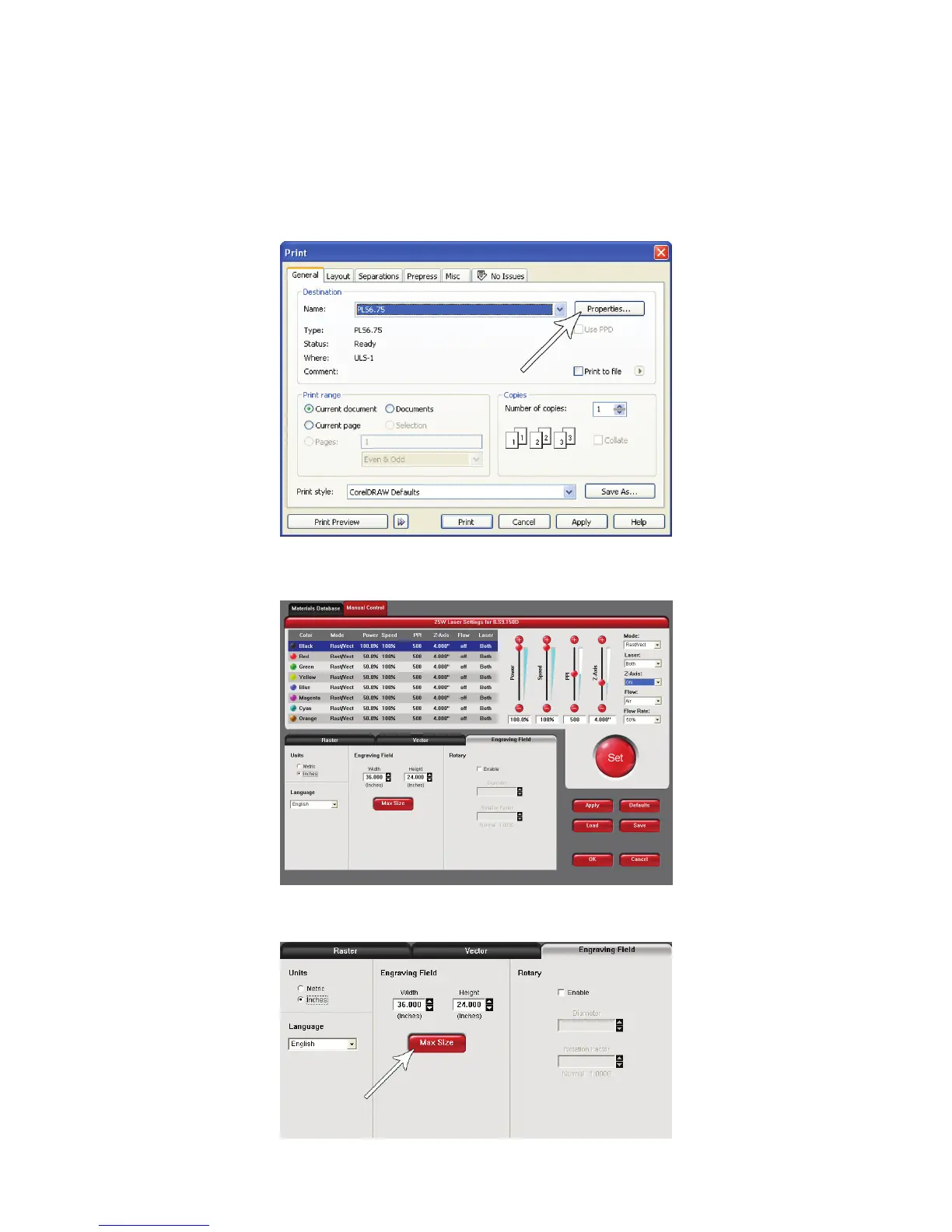
With your graphics software open, proceed immediately to “Printer” setup and then click on the 1.
“Properties” button.
When the printer driver appears, click on the Manual Control tab, then on the Engraving Field sub-tab.2.
Click on the “Max Size” button.3.



 To Next Page