EasyManua.ls Logo

UPM THM301A - LCD Display and Time Setting; Understanding the LCD Display; Setting the Clock and Day

UPM THM301A
31 pages
Print Icon
To Next Page IconTo Next Page
To Previous Page IconTo Previous Page
Loading...
19
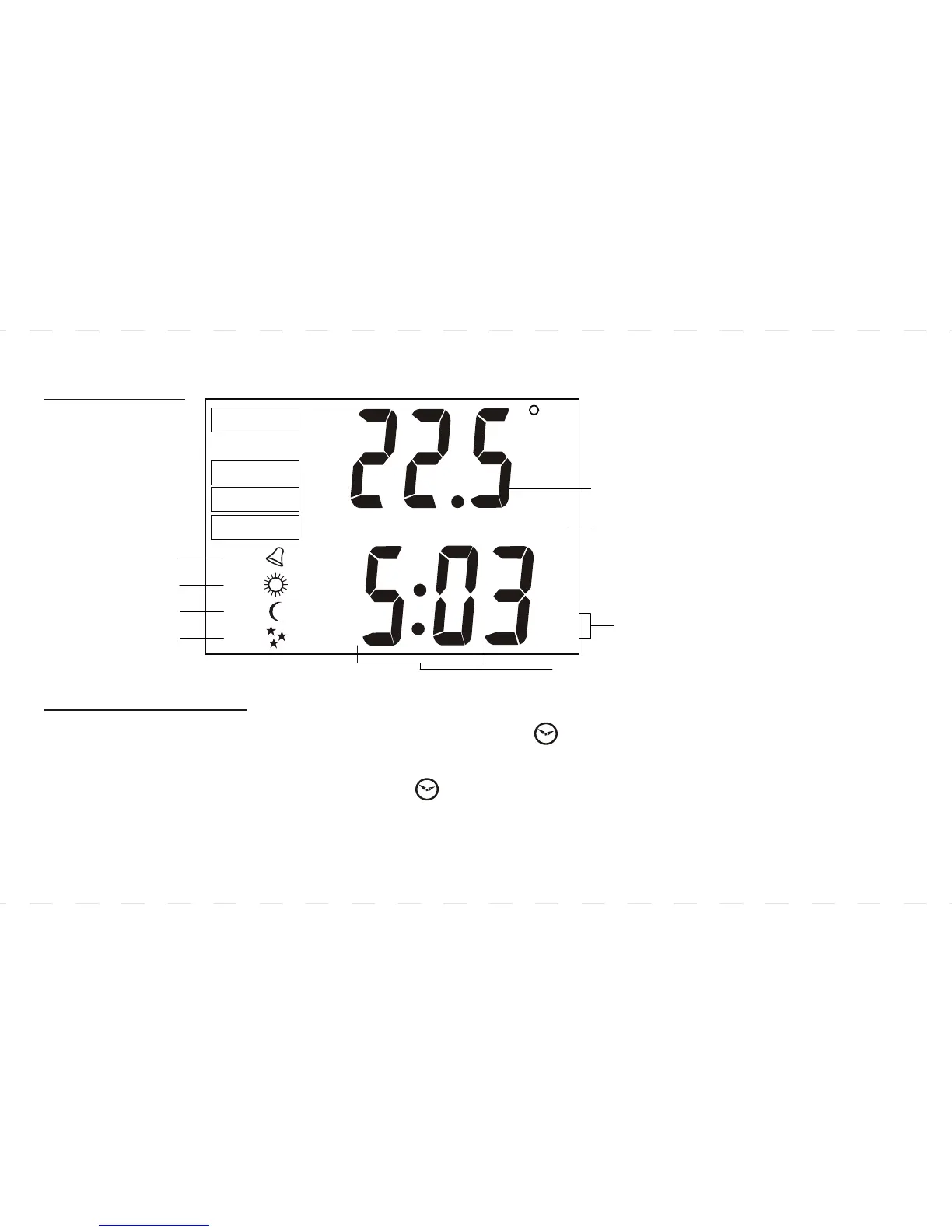
LCD DISPLAY
SET TIME AND DAY
l Press SET CLOCK to start time setting. The time and SET symbol will flash.
l Use AHEAD or BACK to set the current time.
l Press SET CLOCK again. The day and SET symbol will flash.
l Use AHEAD or BACK to set the current day.
l Press SET CLOCK again to exit.
SET
HEAT
COOL
HOLD
C
MO TU WE TH FR SA SU
AM
PM
P1-
P2-
P3-
P4-
Hour/Minute Setting
Program 1
Program 2
Program 3
Program 4
Temperature
Weekday
AM/PM
Press both AHEAD and
BACK keys together at
the same time to
change the time display
from 12 hour format to
24 hour format
(eg.8:00pm / 20:00)
and vice versa.

Related product manuals