29
3.8 COMPARE Mode
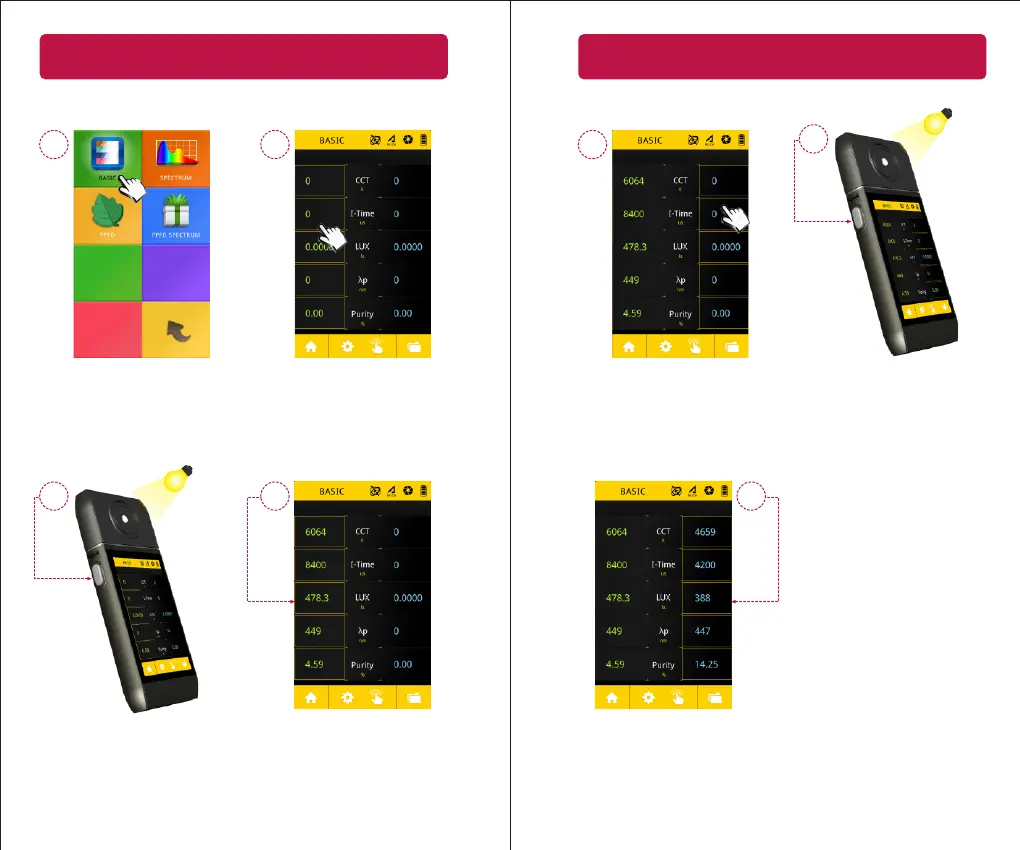
Compare two consecuve measurements
2
1
3
4
Select the BASIC icon. The le
column and right column will
represent the data you are
comparing.
First, tap the le column.
A yellow border will appear
around the le column.
Point the PG200N to a light
source and take a measurement.
The measurement data
will fill the le column.
30
3.8 COMPARE Mode
5
6
7
Next, tap the right column.
A yellow border will appear.
The new data will fill the right
column. You can now compare
the two measurements.
Take another measurement.


 To Next Page