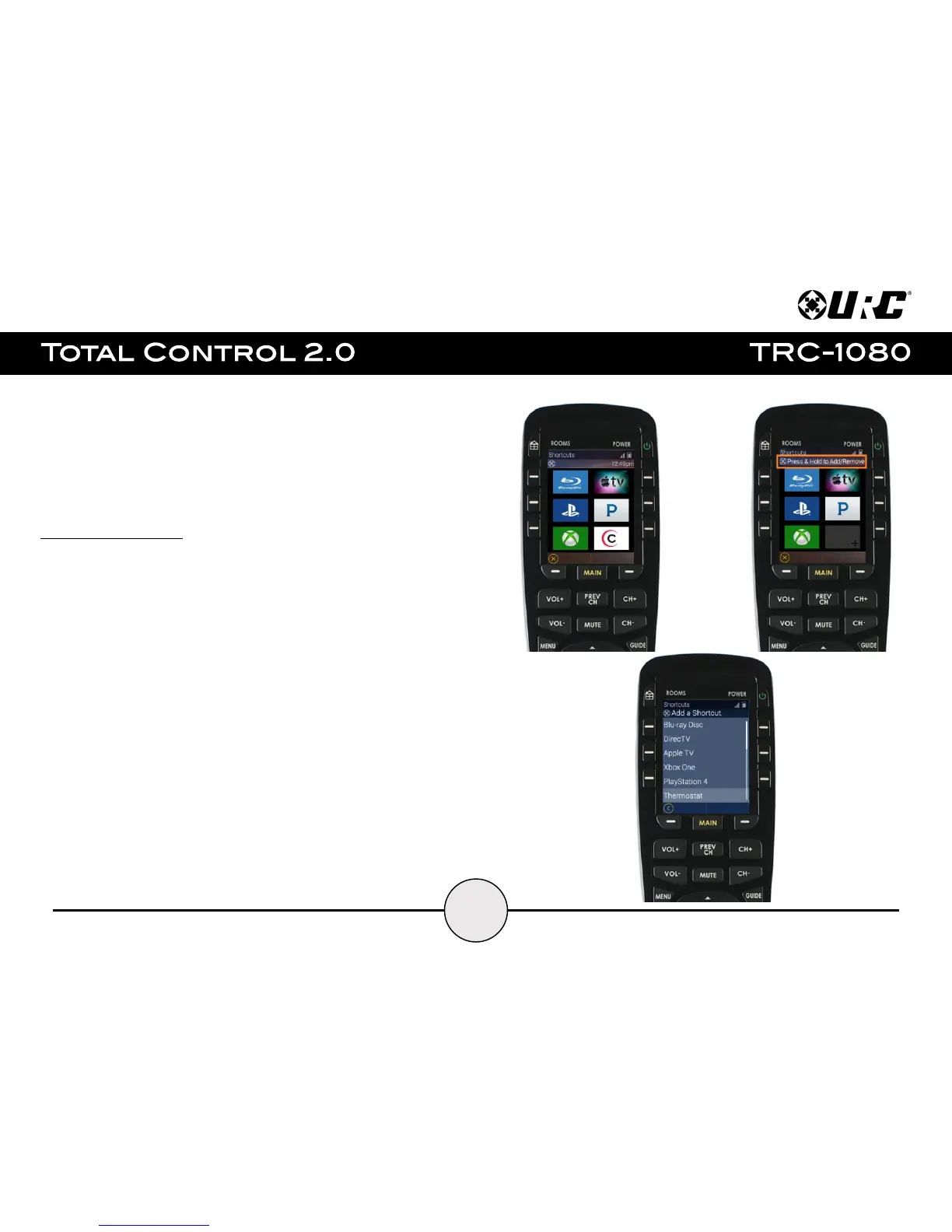
Shortcut Popup Menu:
Press and hold the Main button to display the Shortcuts Popup Menu. This menu can hold
up to six (6) items.
This menu is created on a per room basis and the only items that can be added to it are
devices/activities that are programmed into that specific room.
To add an item to this menu perform the following:
1. Locate a blank/available button space.
2. Press and hold that available space for approximately three (3) seconds.
The Add a Shortcut menu displays with the available devices/activities for
that room.
3. Select a device/activity to add it to the Shortcut Popup Menu.


 To Next Page