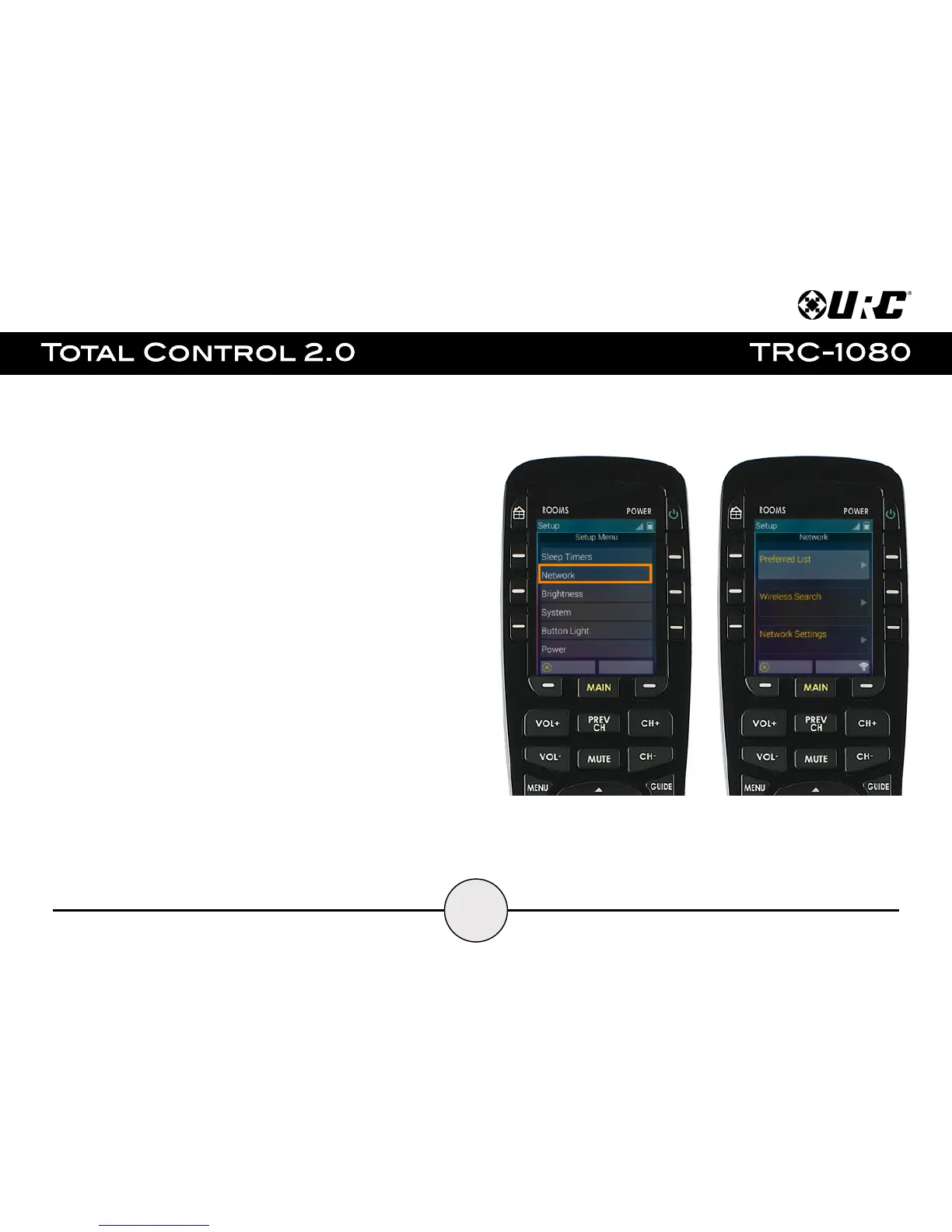
Network:
Allows the user to view and adjust the the Network Access settings on the remote
control. There are the following available options:
● Preferred List: Contains all saved Wi-Fi networks that the device has been
connected to.
● Wireless Search: Select this to scan for available wireless networks. After
the wireless search has been performed, select the home network and enter
the password as required. This saves that network to the preferred list and
connects the remote to the Wi-Fi.
● Network Settings: Adjust settings specific to the network the remote
control is connected to such as IP address, address type, and more.


 To Next Page