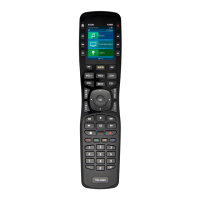
Introducing the TRC-1080
Thank you for purchasing URC’s TRC-1080 remote control. Its easy and intuitive use helps to
simplify your life while adding control of more things than thought possible.
Online Help:
Visit the URC Home Page for downloads, training materials, and frequently asked questions.
Contact Support:
Total Control is a URC product sold direct or through distribution. For questions or
assistance contact your Custom Installer/Programmer.
My Installer/Programmer:
or URC Technical Support at: techsupport@universalremote.com
(914) 835-4484
Universal Remote Control, Inc.
500 Mamaroneck Ave
Harrison, New York 10528
Toll Free: (800) 901-0800
Table of Contents
Features and Benefits..........................................................................................1
Parts List.................................................................................................................3
Installation.............................................................................................................4
Main Menu: Navigation.......................................................................................6
Title Bar..................................................................................................................7
Room’s Menu...................................................................................................9
Room Linking.................................................................................................10
Now Playing..................................................................................................11
Core Buttons.........................................................................................................12
Shortcut Popup Menu..................................................................................13
Status Bar......................................................................................................15
Intercom................................................................................................................17
Navigating the Intercom Menu..................................................................19
Making Calls: Audio-Video........................................................................20
Making Calls: Audio Calls..........................................................................22
Making Calls: Baby Monitor......................................................................24
Making Calls: Audio Broadcast.................................................................26
Do Not Disturb Mode...................................................................................28
Scenes Menu.......................................................................................................29
Settings Menu......................................................................................................30
Specifications......................................................................................................39
Limited Warranty Statement.............................................................................39


 To Next Page