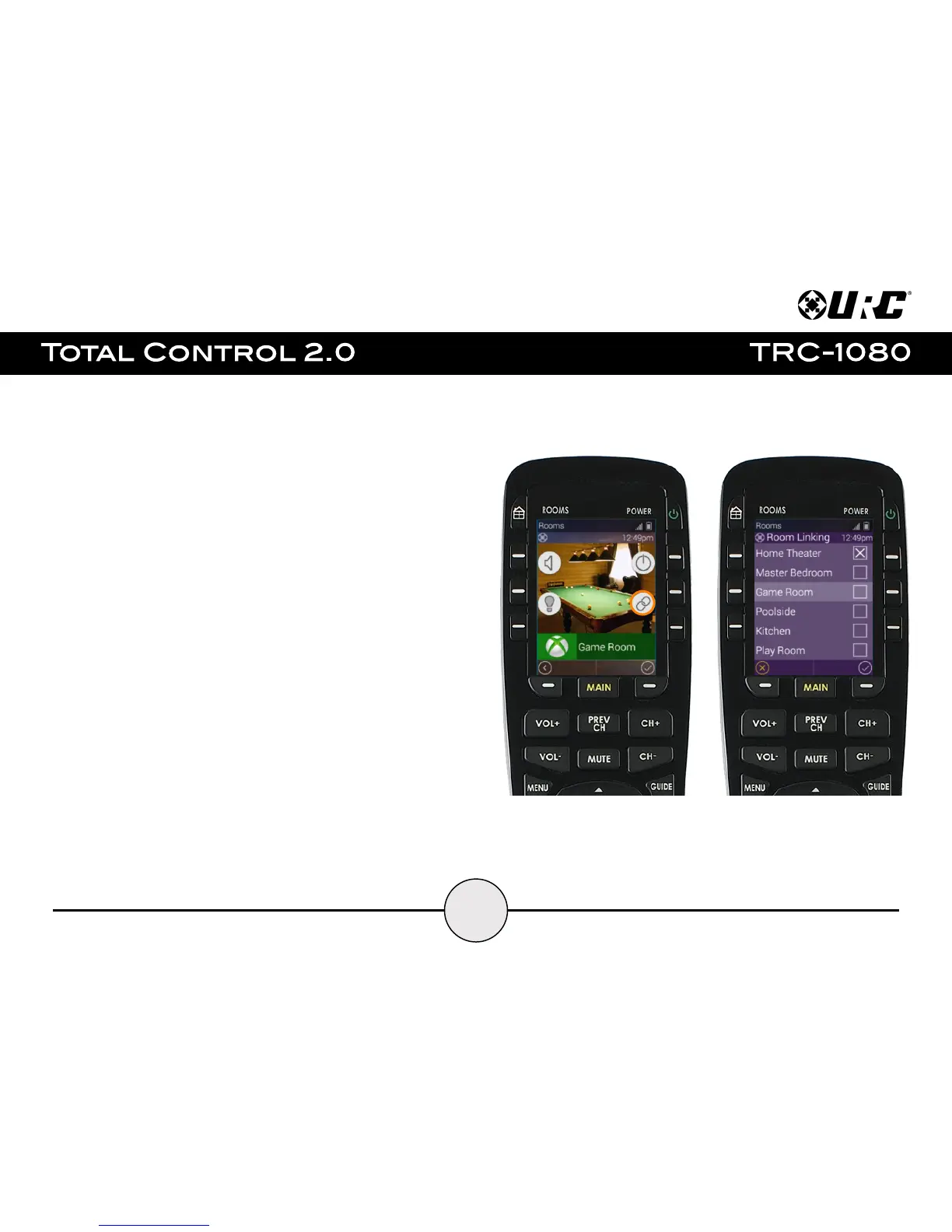
Room Linking:
From the Room’s Menu, the user can link DMS Zones/Areas together to have a
single menu for volume control. This features is only currently available on
Zones/Areas that are using a DMS device for volume control.
1. From the Room’s Menu, select the Room Link button.
2. The Room Linking menu appears, select the available room from this
menu to create a link.
Only rooms that are DMS Zones/Areas are found on this menu.
3. Select the check mark to confirm and link the selected rooms.


 To Next Page