9-29
User Authentication and Accounting (User Login, Job Accounting) > Setting User Login Administration
ID Card Settings
If ID card authentication is enabled, select the authentication type.
1
Display the screen.
1 Press the [System Menu/Counter] key.
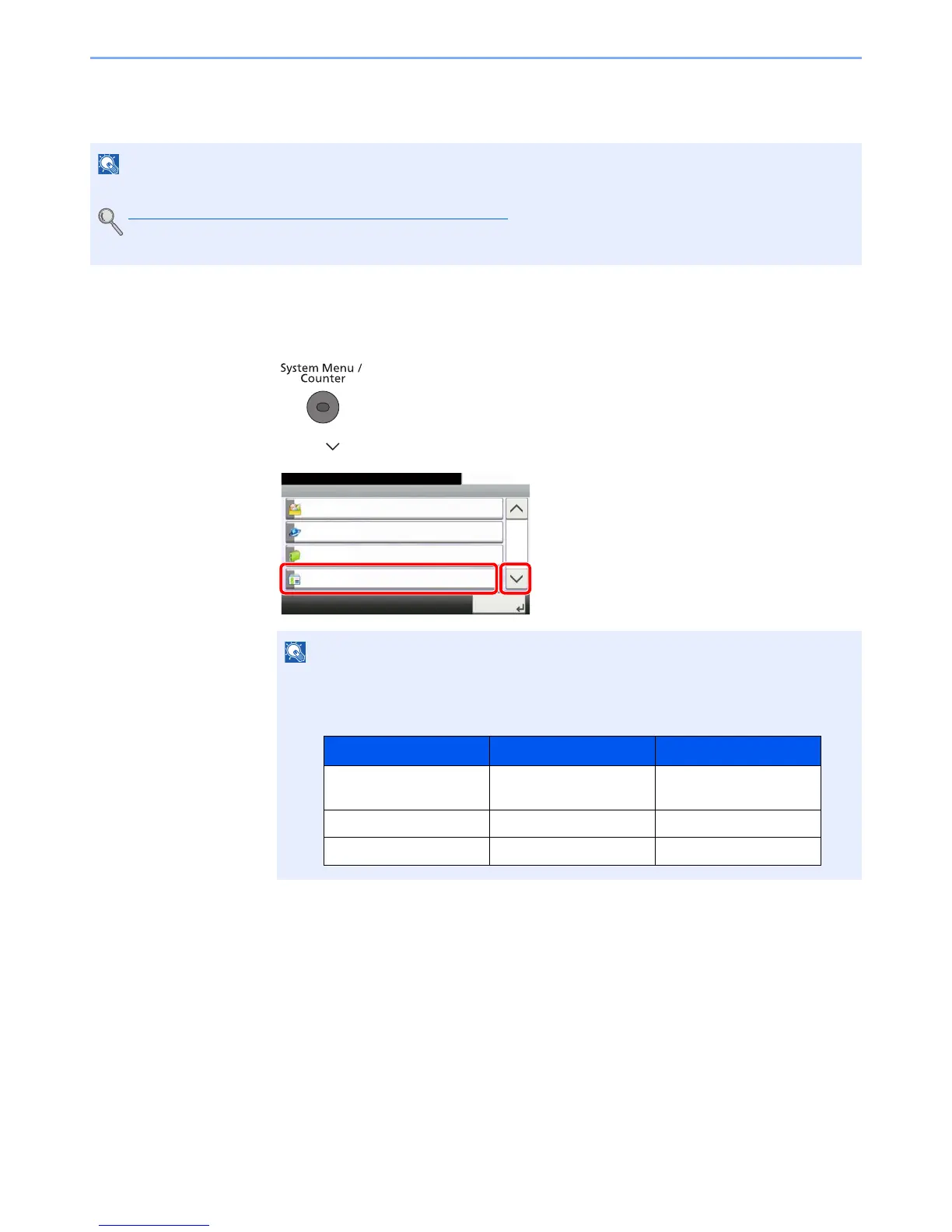
2 Press [ ] and then [User Login/Job Accounting].
3 Press [User Login Setting] and then [ID Card Settings].
• This functions appears when the Card Authentication kit is activated.
Card Authentication Kit(B) "Card Authentication Kit" on page 11-3
• This function does not appear when the user logs in as a network authentication user.
If the login user name entry screen appears during operations, enter a login user name
and password, and press [Login].
The factory default login user name and login password are set as shown below.
System Menu/Counter.
System Menu
Favorites/Application
10:10
Internet
Address Book/One Touch
User Login/Job Accounting
4/5
Close
Model Name Login User Name Login Password
P-4030i MFP/P-4035i
MFP
4000 4000
P-5035i MFP 5000 5000
P-6035i MFP 6000 6000


 To Next Page
 Loading...







