CryptoServer LAN V4 (Figure 1 and Figure 2)
Power supply sockets 90 V ~ 246 V (AC)
Power supply switches (switches power on/off) plus control light (green) above
Screws for attaching the power supplies
Control light for the operation status of both power supplies:
■ green – normal operation
■ red – alarm status if a power supply fails or is switched off; A signal tone
sounds.
Mute key for the signal tone that sounds if a power supply fails or is switched off
CryptoServer CSe-Series or Se-Series Gen2 plug-in card
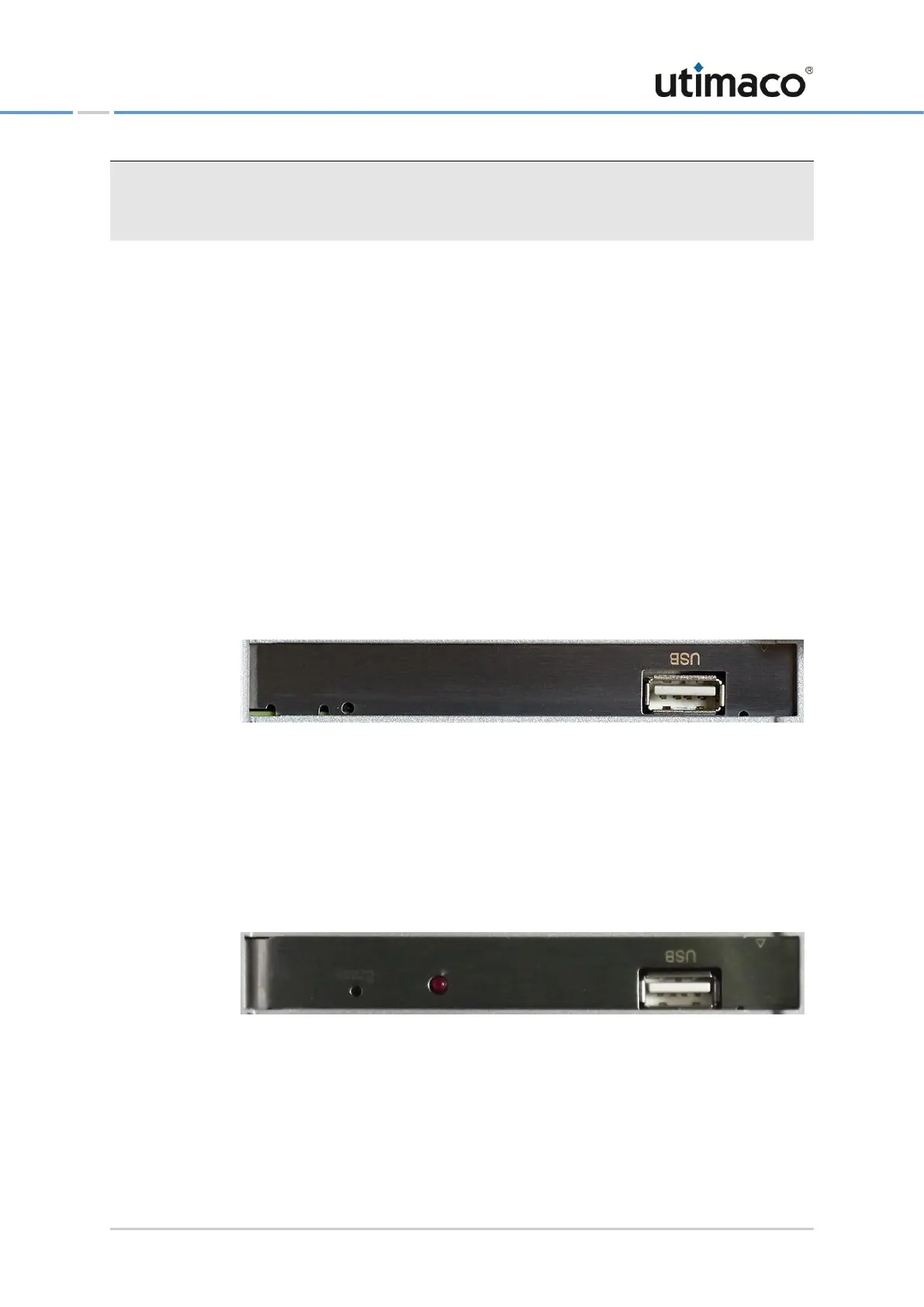
■ CryptoServer CSe-Series plug-in card
Figure 3: CryptoServer CSe – Sockets and ports on the rear side
▣ A – Erase pushbutton
▣ B – USB 2.0 port of the CryptoServer CSe
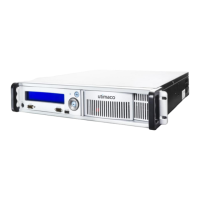
■ CryptoServer Se-Series Gen2 plug-in card
Figure 4: CryptoServer Se-Series Gen2 – Sockets and ports on the rear side
▣ C – Erase pushbutton
▣ D – LED flash light – indicates the activation of the Erase push-button
▣ E – USB 2.0 port of the CryptoServer Se-Series Gen2


 To Next Page