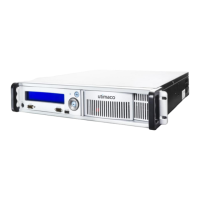
8. Change the password for the users root and cslagent of the CryptoServer LAN as
described in chapter "Changing the Password for the Users root and cslagent" of the
CryptoServer LAN Manual for System Administrators.
9. Configure the IP address for the CryptoServer LAN and for the default gateway.
▣ If you want to use static IP addresses, follow the instructions in chapters "Entering the
IP Address of the CryptoServer LAN" and "Entering the IP Address of the Default
Gateway" of the CryptoServer LAN Manual for System Administrators.
▣ If you want to use automatic IP configuration via DHCP for the CryptoServer LAN and
for the default gateway, follow the instructions in chapter "Setting up DHCP" of the
CryptoServer LAN Manual for System Administrators.
10. Check the network reachability of CryptoServer LAN as described in chapter "Checking
Reachability in Network (ping)" of the CryptoServer LAN Manual for System Administrators.
11. If you want to be able to access the CryptoServer LAN remotely, enable the SSH daemon
as described in chapter "Activating the SSH Daemon" of the CryptoServer LAN Manual for
System Administrators.
12. Install the SecurityServer product CD on the computer you want to use for the
CryptoServer LAN's remote administration as described in chapter "Installing the
CryptoServer Host-Software" in the CryptoServer Manual for System Administrators.


 To Next Page