33
ENTERING LETTERS,
NUMBERS & SYMBOLS
MEMORY FUNCTION
H
T9
TM
PREDICTIVE TEXT MODE
To choose T9
TM
mode from the Editor screen press Left Soft Key
[Abc], then choose [T9Word]. This mode predicts the words
you are entering using a built-in dictionary. With T9
TM
predictive text
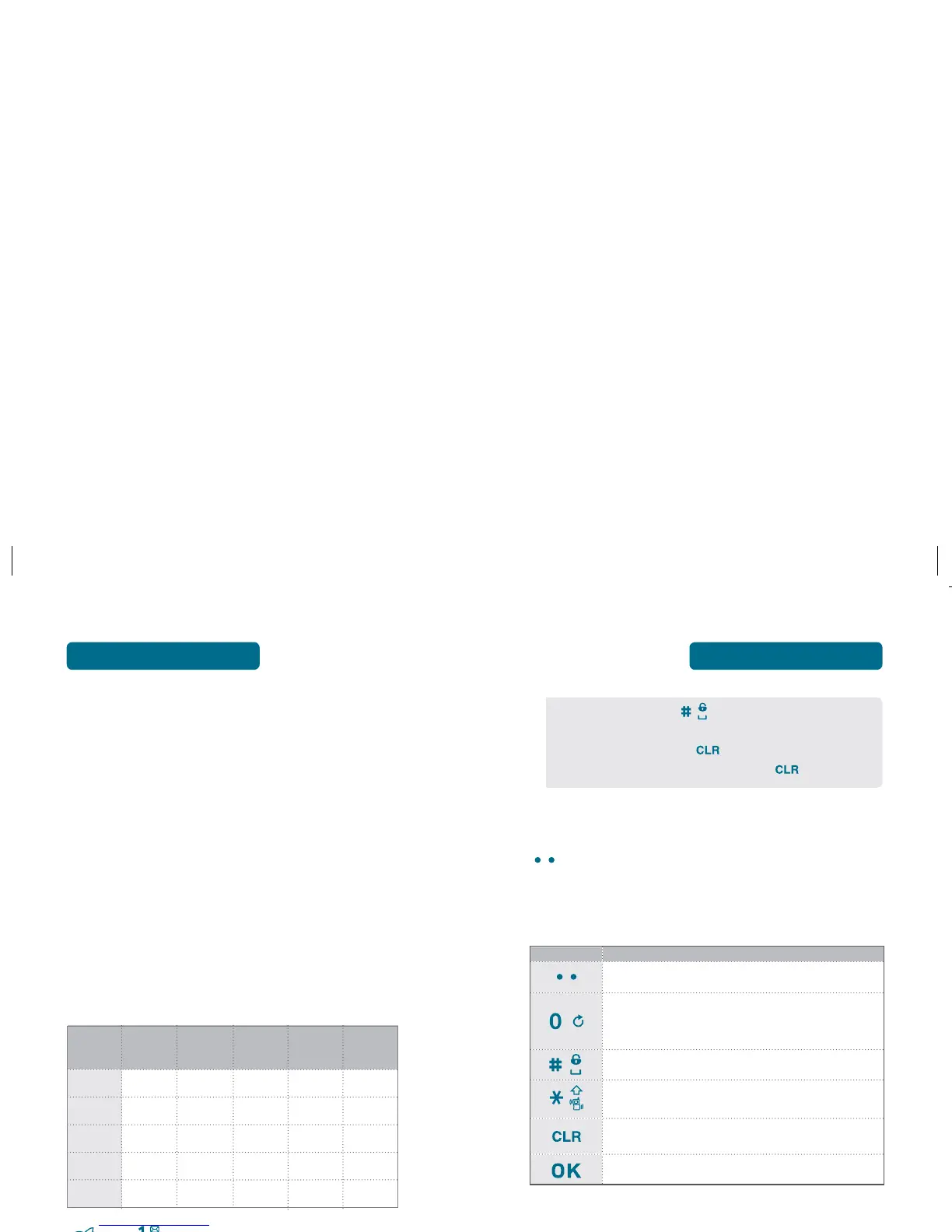
input, you press each key only once for each letter. The chart below
outlines how to use T9
TM
mode.
• To enter a space, press . The cursor will automatically
move to the next column.
• To delete one digit, press
.
To delete the entire entry, press and hold
.
Next
Press to view the next matching word if the highlighted
word is not the word you intended in Word input
mode.
Space
Press to accept a word and add a space.
Clear
Press to delete a character to the left of the cursor.
OK
Press to save the letters and numbers.
Change Mode
Press to change mode. [T9word][Abc][123].
KEY
FUNCTION
Mode
Press to change mode. [T9word][Abc][ABC][123][Symbols]
32
ENTERING LETTERS,
NUMBERS & SYMBOLS
MEMORY FUNCTION
H
ENTERING CHARACTERS
Your phone offers several text input methods for convenient
entry of memory location names and text messages:
Abc mode: Enters words by repeatedly tapping the
corresponding key until the desired
character is displayed.
T9Word: Tap each corresponding key only once and the
phone predicts the word you are entering.
Numeric mode: Only enters numbers.
Symbol mode: Enters symbols like . @ ? ! - , & : _ ¿ / ; .
H
ALPHA MODE [ABC]
Use the digit keys to enter letters, numbers and characters.
Enter letters using the key pad as follows:
Press
repeatedly, until the desired symbol
appears (. , ! @ & ‘ : ? ). To change the input mode,
press Left Soft Key
[Abc].
Key
Pad
1 time
Repetitions
2 times
Repetitions
3 times
Repetitions
4 times
Repetitions
5 times
A2ABC A B C 2
D3DEF D E F 3
G4GHI G H I 4
:: : : : :
99WXYZ W X Y Z



 To Next Page