
 Need help?
Do you have a question about the UTStarcom RollingStream Media Console 1088H and is the answer not in the manual?
Information on how to get technical assistance from UTStarcom Service Centers globally.
Accessing the UTStarcom Support website for troubleshooting tools and product information.
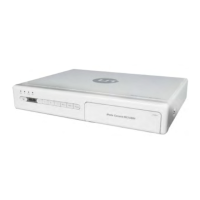
Visual representation of the MC1088H device, showing its external appearance.
Key capabilities and supported services of the MC1088H, including CATV and IPTV.
Diagram illustrating how the MC1088H connects to the service provider network.
Details on the MC1088H front panel, including buttons, LEDs, and interface access.
Description of the MC1088H rear panel, detailing its various input and output interfaces.
Overview and button descriptions for the MC1088H remote control.
Steps to take before installation and a checklist of package contents.
Instructions for connecting Composite Video (CVBS) with Analog Audio.
Instructions for connecting YPbPr video with Analog Audio for HDTV.
Instructions for connecting S-Video with Analog Audio for better SD video quality.
How to connect the MC1088H to the network using an RJ45 Ethernet cable.
Instructions for connecting the CATV cable to the RF IN connector.
How to connect an external IR sensor for remote control functionality.
Procedure for connecting the DC power cable and power adapter.
 General
| Model | 1088H |
|---|---|
| Manufacturer | UTStarcom |
| Type | Media Console |
| Ethernet | 10/100 Mbps |
| Supported Video Formats | MPEG-2, MPEG-4, H.264 |
| Category | Set-top boxes |
| Video Output | HDMI |
| Audio Output | Optical |
| Connectivity | Ethernet |
| USB | USB 2.0 |
| Supported Audio Formats | MP3, AAC |

 To Next Page