2 Device Introduction
40
Remote Control
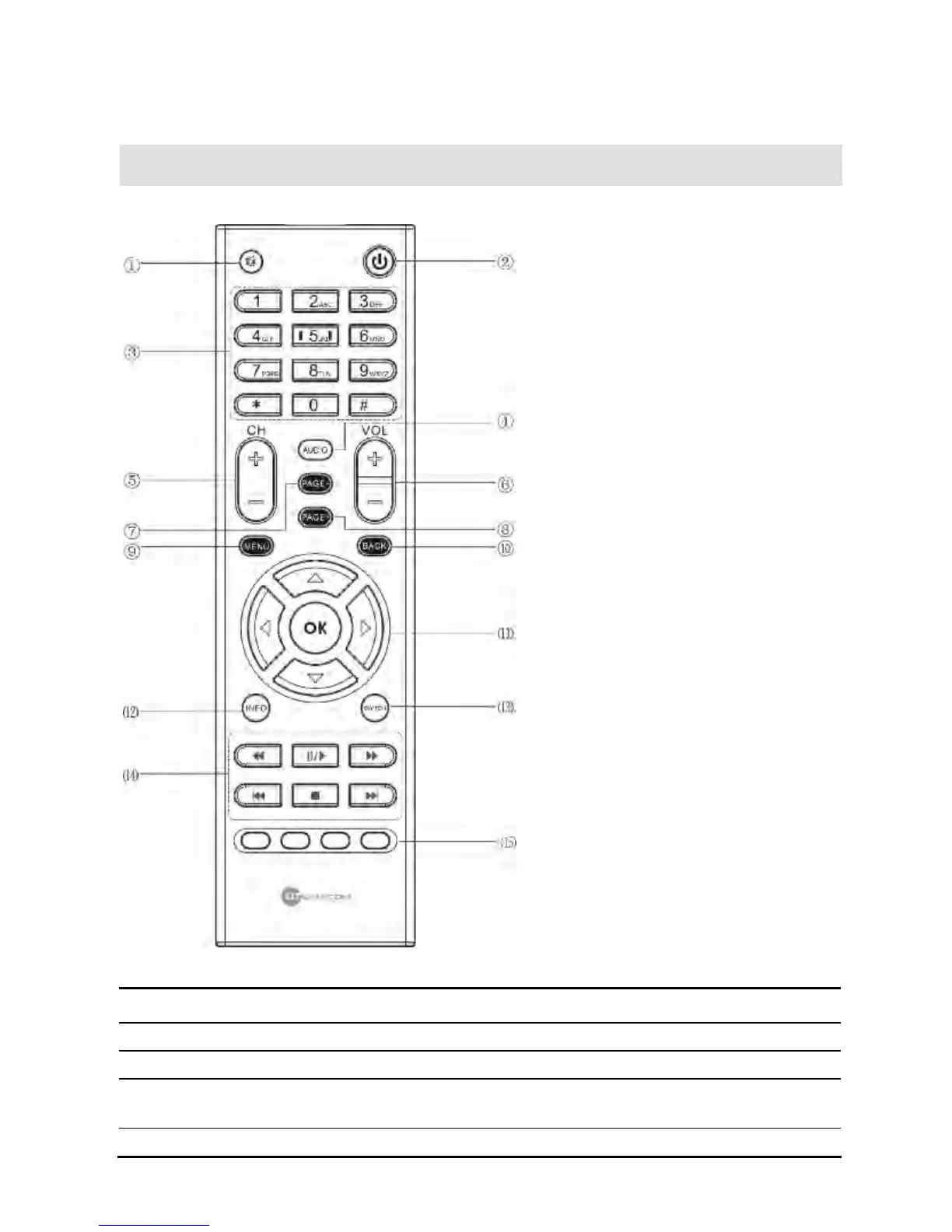
Figure 6 MC1088H Remote Control
Table 3 MC1088H Remote Control Descriptions
Items Button Description
1 MUTE Use to turn the sound on/off
2 POWER Use to select on/standby
3
Number Buttons
(0-9)
Use to enter numbers/letters and switch channels
4 AUDIO Use to select left channel, right channel, or stereo.


 To Next Page